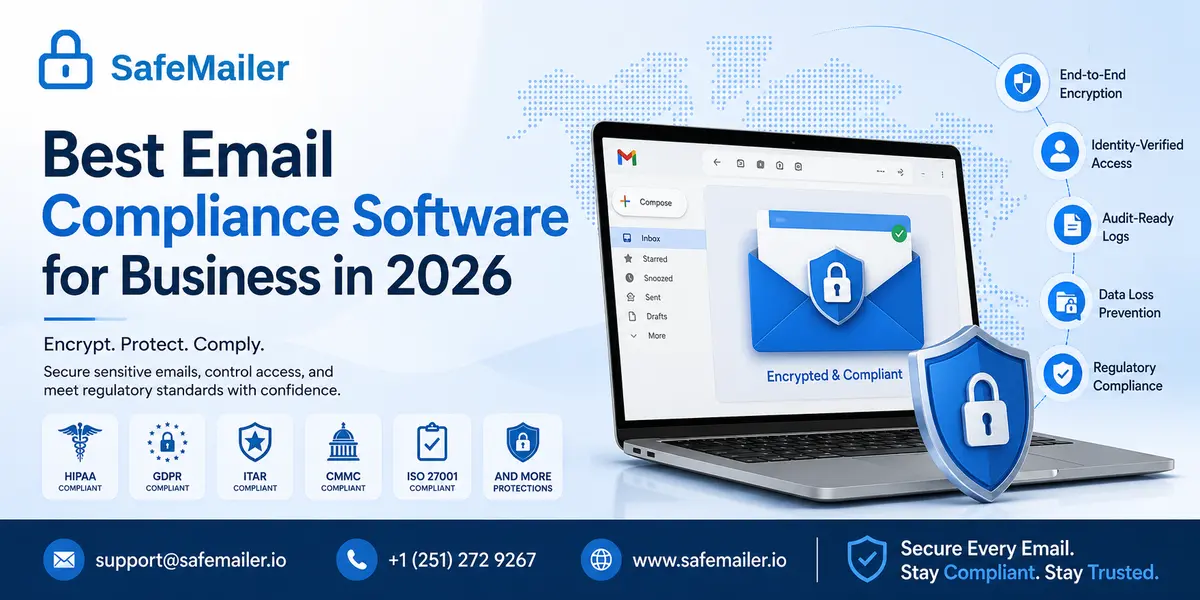
That combination matters because compliance is only real when people use it. Most platforms sold as email compliance software were designed for enterprise archiving and surveillance, priced per seat and rolled out over months of IT work. SafeMailer was built for the opposite job, which is protecting the confidential data your team sends today. If you want to see the send and open sequence before reading further, walk through how SafeMailer works inside the inbox and then come back to the comparison below.
Quick Summary for Buyers
- Best overall email compliance software for business: SafeMailer, for encryption first compliance inside Gmail and Outlook with per sender pricing.
- Best for regulated small and mid sized teams: SafeMailer, because a free plan and zero deployment remove the two biggest blockers to adoption.
- Best for long term record retention: a dedicated archiving and supervision suite, usually run alongside an encryption platform rather than instead of one.
- Best for inbound threat filtering: a secure email gateway or anti phishing software, which protects what arrives rather than what you send.
- Typical category pricing: encryption platforms range from roughly 7 to 25 dollars per user per month, entry bundles commonly start near 119 dollars per month for five users, and enterprise archiving suites are quote only. SafeMailer charges per sender, so cost tracks the people who actually send protected email.
What Email Compliance Software Does for a Business
Email compliance software is a category of security tooling that helps an organization send, receive, control and evidence email in line with legal and regulatory obligations. Instead of trusting a standard mailbox to protect confidential data, these platforms add encryption, identity based access control, retention, monitoring and reporting on top of the email your team already uses.
The work splits into five jobs. Protecting content, so a message and its attachments cannot be read by anyone other than the intended recipient. Controlling access, which means verifying identity before a protected email opens and often restricting forwarding, printing or downloading afterwards. Preventing data loss, by catching sensitive information before it leaves by mistake. Defending against inbound threats such as phishing and impersonation. Keeping evidence, through audit trails that show a regulator exactly who accessed what and when.
No business needs all five in equal measure. A clinic leans on encryption and access logs. A broker dealer prioritises supervision and retention. A defense supplier cares most about restricting who can reach export controlled data. Working out which job carries your largest exposure is the first real step, and it decides which of the categories below is worth paying for.
It also helps to read what the regulations actually say. Very few of them name a product or a technology. The HIPAA Security Rule is typical in describing required safeguards in terms of outcomes rather than tools, which is why two organizations can reach the same standard through very different software. That flexibility is useful, but it also means a vendor claiming to make you compliant is overstating the case. Software supplies controls and evidence. The compliance programme around it remains yours.
Best Email Compliance Software Categories Compared
The phrase email compliance tool covers five distinct product types that solve different problems. Grouping them by job stops you buying capability you will never switch on.
| Category | Primary job | Best suited to | Deployment effort | Typical cost pattern |
|---|---|---|---|---|
| Encryption first platforms including SafeMailer | Protects outbound messages and attachments, verifies recipient identity, logs access | Regulated businesses of any size that send confidential data by email | Minutes, browser based, no plugin | Per sender or per user, published pricing, free tier available |
| Archiving and supervision suites | Captures and retains every message in tamper resistant storage for review | Broker dealers and firms with formal supervision duties | Weeks to months, journaling and mail flow changes | Enterprise contracts, quote only, annual commitment |
| Secure email gateways and anti phishing software | Filters inbound and outbound mail for malicious links, attachments and impersonation | organizations facing high volumes of targeted inbound attack | Days to weeks, sits inline with the mail server | Per user per month plus infrastructure cost |
| Email data loss prevention tools | Scans outbound mail for sensitive patterns and blocks, quarantines or encrypts | Teams whose main risk is human error on outbound mail | Days, plus ongoing policy tuning | Per user, often bundled into a larger suite |
| Native platform compliance features | Adds basic encryption and labelling inside an existing productivitylicense | Teams already paying for premium or enterprise productivity tiers | Licence upgrade plus admin configuration | Requires an upgraded seatlicense for every user |
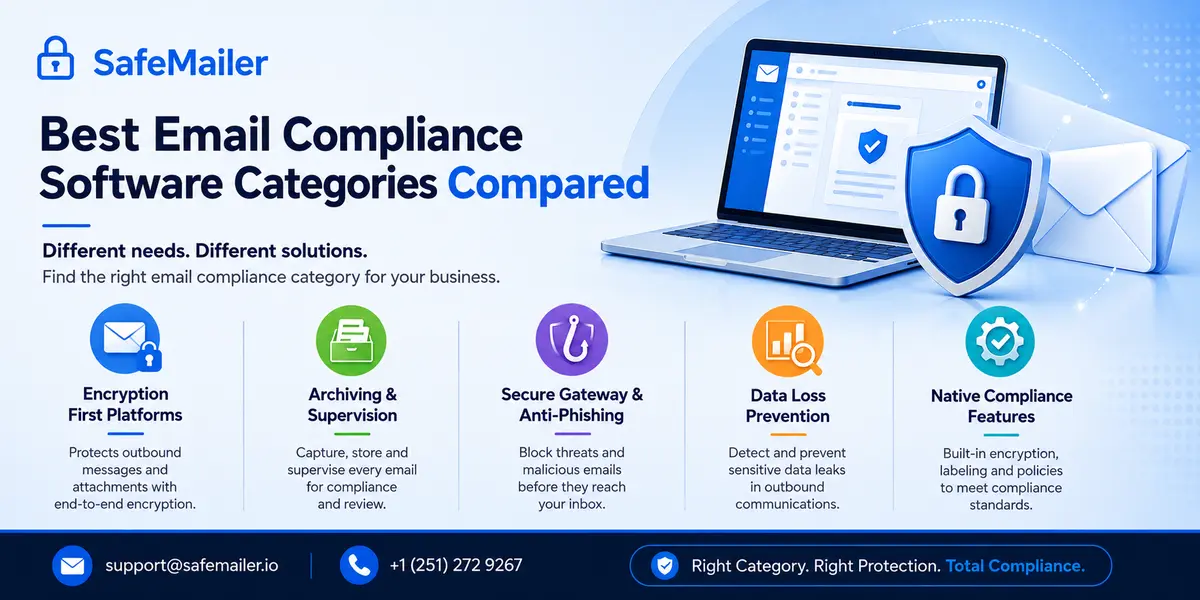
Encryption First Email Compliance Platforms
These platforms treat encryption and recipient authentication as the foundation of compliance. Every message and attachment is encrypted in transit and at rest, and only a verified recipient can open it. This is the most direct route to satisfying rules that demand protection of a specific data type, because the protection travels with the message instead of depending on the network it crosses. The strongest options in this category work inside Gmail and Outlook, require no plugin, and let recipients authenticate with an account they already own rather than a portal login they have to create and later reset.
Email Archiving and Supervision Suites
Archiving suites capture every message, store it in tamper resistant form and let compliance officers search, review and flag communications. They exist for regulated finance, where records must be held for years and employee messaging must be reviewed for misconduct. They are powerful and they solve a narrow problem. They preserve and police email, but they do not encrypt an outbound message so an external recipient can safely read it. Firms with genuine supervision obligations usually run an archive alongside an encryption platform rather than treating either as complete.
Secure Email Gateways and Anti Phishing Software
A gateway filters mail in both directions. Good anti phishing software inspects links, attachments, sender reputation and message intent to block impersonation, business email compromise and malware before a user ever sees them. Since one successful phishing attack can trigger a reportable breach, phishing defense is a genuine compliance control rather than a security extra. What a gateway does not do is guarantee that a legitimate message leaving your organization is encrypted, or that the right person is the one who opens it.
Email Data Loss Prevention Tools
Email data loss prevention, usually shortened to email DLP, scans outbound messages for sensitive patterns such as card numbers, health identifiers or document classification markers, then blocks, quarantines or encrypts automatically. DLP is the safety net for human error, which remains the single largest cause of email compliance violations. Encryption first platforms cover much of the same ground by making protection the default state of a message rather than something an employee has to remember.
Native Platform Compliance Features
Both major productivity platforms include some form of message encryption in their higherlicense tiers. The economics are the catch. Turning on native encryption often means upgrading every seat in the organization, not only the handful of people who send regulated data, and external recipients without an account on the same platform are frequently pushed into one time passcode loops that make longer conversations painful. For a team where ten people send protected email and ninety do not, that is a large bill for a small requirement.
Why SafeMailer Is the Best Email Compliance Software for Most Businesses
SafeMailer sits in the encryption first category and is built for the exact failure point that sinks compliance programmes, which is adoption. Encryption is applied at the moment of sending and holds until a verified recipient opens the message. There is nothing to install, no gateway to configure and no portal account for the person on the receiving end. Anyone with a Google or Microsoft account can receive and reply securely without a SafeMailer subscription of their own.
The controls that compliance and security teams ask for are all present. Messages and attachments are encrypted in transit and at rest. Recipient identity is verified before access is granted. Senders can set message expiry, revoke access after delivery and restrict a message to a single view. Every access event is recorded, which is the evidence an auditor actually asks to see. Frameworks covered from one platform include HIPAA, GDPR, ITAR, CMMC, DFARS, CJIS, FERPA, ISO 27001, the FTC Safeguards Rule, FINRA, GLBA, PCI and SOX.
The commercial model is the second differentiator. Charging per sender rather than per mailbox means a fifty person firm with eight people handling regulated data pays for eight, not fifty. For organizations that need secure business email across commercial industries, that difference decides whether a compliance project gets approved or postponed for another budget cycle.
Email Compliance Software for Outlook and Gmail
The practical test of any email compliance tool is whether it survives contact with the way people already work. Staff will not open a separate console to send a protected message, and they will not ask a client to create an account before reading a contract. Anything that adds those steps gets quietly abandoned, and the abandoned tool is the one an auditor finds a gap in.
SafeMailer runs in the browser alongside Gmail and Outlook, so encryption becomes one action inside the workflow a team already knows. There is no add in to push through device management, no mail flow rule to test, and no version conflicts when a desktop client updates. Recipients open protected messages by authenticating with the Google or Microsoft account they already sign into every day, which removes the password reset support tickets that come with portal based secure mail. Teams weighing the options can see SafeMailer side by side against other secure email platforms before committing to a rollout.
Email Compliance Software Pricing in 2026
Pricing in this category is unusually opaque. Archiving and supervision suites are almost always quote only and commonly land in the tens of thousands of dollars per year. Encryption platforms that do publish rates typically fall between 7 and 25 dollars per user per month, with entry bundles frequently starting near 119 dollars per month for five users. Native platform encryption is cheaper on paper and expensive in practice, because it usually requires a premium seatlicense for every employee rather than the few who send regulated data.
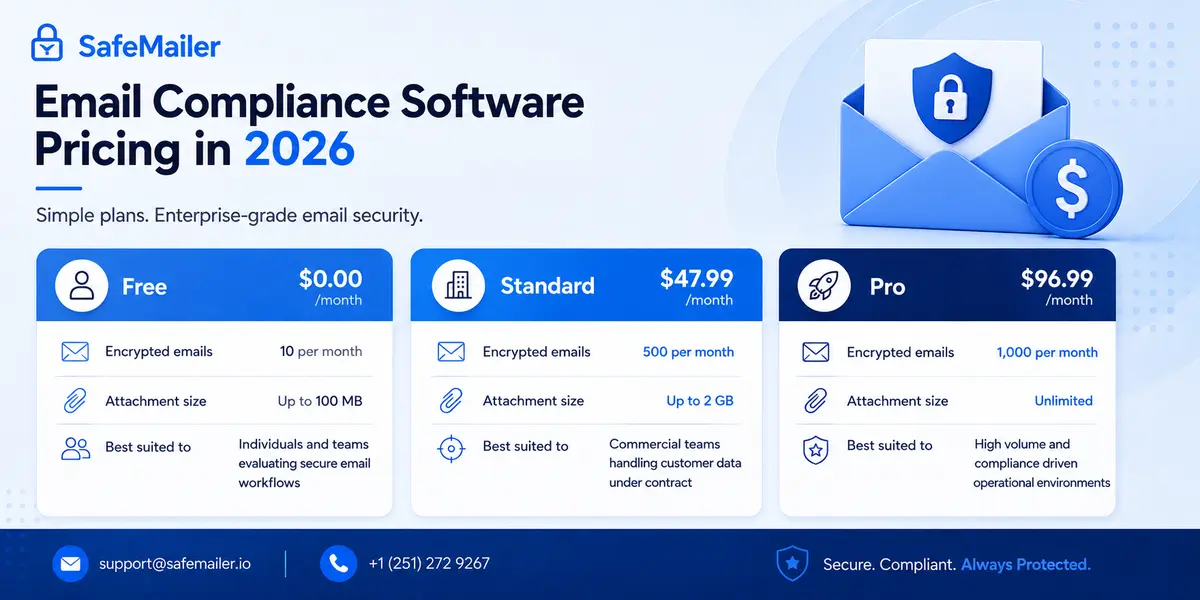
SafeMailer publishes its rates and charges per sender. The current plans are as follows.
| Plan | Price per month | Encrypted emails | Attachment size | Best suited to |
|---|---|---|---|---|
| Free | 0.00 dollars | 10 per month | Up to 100 MB | Individuals and teams evaluating secure email workflows |
| Standard | 47.99 dollars | 500 per month | Up to 2 GB | Commercial teams handling customer data under contract |
| Pro | 96.99 dollars | 1,000 per month | Unlimited | High volume and compliance driven operational environments |
Every tier is priced per sender and includes encryption, recipient verification and access logging rather than reserving compliance features for an upper bracket. Full plan details and volume options are set out on the SafeMailer plans and per sender pricing page.
Email Compliance Software Features to Compare Before Buying
Once the category is settled, judge products on the capabilities below. These separate a compliance grade platform from a tool that only looks the part in a demo.
- End to end encryption on messages and attachments, applied in transit and at rest, so content stays unreadable without authorisation.
- Identity based recipient authentication so a protected email opens only after the recipient proves who they are through an account they already hold.
- Post delivery control including expiry, revocation, one time view and limits on forwarding or downloading, which keeps data protected after it leaves your network.
- Audit ready access logging that records who opened a message and when, in a format you can hand to an assessor without preparation work.
- Native workflow fit with Gmail and Outlook, because a tool people find awkward is a tool people route around.
- Large attachment support, since the files that carry the most regulatory risk are usually the ones too big for a standard mailbox.
- Multi framework coverage, so one platform serves several obligations instead of one contract per regulation.
- Low recipient friction, meaning external parties read and reply without installing anything or managing another password.
Two of these deserve extra weight because regulators single them out. Encryption is named explicitly in Article 32 of the GDPR as an example of an appropriate technical measure, which makes it one of the few controls with direct textual support rather than inferred expectation. Access logging matters for a different reason. When an incident occurs, the difference between a contained event and a full notification often comes down to whether you can demonstrate which specific messages were reached. Without a log, the safe legal assumption is that everything was exposed.
Email Compliance Software for HIPAA GDPR ITAR and Financial Regulations
The real test of any platform is whether it maps to the rules you answer to. Encrypted, access controlled email supports the frameworks regulated businesses ask about most often, and the sections below show exactly where each one lands.
Healthcare providers, insurers and their business associates use it to protect patient data. Encrypting protected health information in transit and at rest, combined with a record of who opened each message, addresses the safeguards regulators expect while keeping clinical communication moving. The failure mode here is well documented. Most reported healthcare email incidents are not sophisticated attacks, they are messages sent to the wrong address, forwarded beyond their intended audience or left readable in a mailbox that was later compromised. Adopting HIPAA compliant email encryption removes each of those failure paths, because the message cannot be read by an unverified party, can be revoked after sending and leaves a trail showing precisely what was and was not reached. Clinical staff keep working in the inbox they already use, so protection stops depending on anyone remembering to switch to a portal.
organizations handling personal data from the European Union rely on the same controls for GDPR. Encrypting personal data and requiring recipient authentication satisfies the appropriate technical measures standard, and it narrows the window in which a simple addressing mistake becomes a notifiable event. That distinction has direct financial consequences, since a breach involving data that remained encrypted and inaccessible is assessed very differently from one involving readable content. Applying GDPR email encryption keeps customer and employee information protected on both sides of the exchange, and because access is tied to a verified identity rather than possession of a link, forwarding a protected message does not extend the circle of people who can read it.
Defense and aerospace suppliers depend on it to protect export controlled technical data, where the rule is not simply that data must be secure but that specific people must be unable to reach it. That makes identity verification the operative control rather than encryption alone. Restricting access to verified recipients prevents the unauthorized or foreign access the regulations prohibit, so drawings, specifications and military documentation stay inside an approved circle even after they leave your network. Contractors adopt ITAR compliant email for export controlled data instead of sending controlled files as ordinary attachments or shared links, because a link forwarded to an unauthorized party is a violation regardless of who was originally intended to receive it.
Suppliers across the same chain use it to meet Department of Defense cybersecurity expectations. Encrypting messages before delivery supports the protection of Controlled Unclassified Information that sits at the centre of those requirements, and it does so in the one place CUI most often escapes, which is ordinary email between primes, subcontractors and agencies. The commercial stakes here are as sharp as the technical ones, because smaller suppliers frequently lose position in a supply chain not for failing the standard outright but for being unable to reach it inside a realistic budget and timeline. Encryption running inside familiar email tools removes the hardware, retraining and integration work that normally makes that gap unbridgeable, which is why subcontractors increasingly meet CMMC and NIST 800-171 email requirements this way rather than through a full gateway deployment.
Schools, colleges and universities protect academic records with the same approach. Encrypting student communication and limiting who can open it demonstrates the safeguards education privacy law requires, and the volume argument is stronger here than most people expect, since transcripts, disciplinary records, financial aid documents and health information all move between departments and external institutions by email every day. The sector also has a specific staffing reality worth naming. IT budgets are tight, and the people sending regulated data are rarely security specialists. They are registrars, faculty, admissions officers and administrative staff with other priorities, which makes any control requiring training or extra steps unlikely to survive a busy enrolment period. Implementing FERPA protection for student records works precisely because it fits the tools those people already open every morning.
Financial institutions apply the same controls to statements, wire instructions, loan files and audit documentation across an overlapping stack of rules that rarely align neatly. A firm can be subject to card data standards, financial privacy obligations, records requirements and communication rules simultaneously, each with different scope and different evidence expectations. Running a separate tool for each one multiplies the integration work, the vendor reviews and the number of places an examiner can find an inconsistency. It also creates a subtler problem, which is that four systems produce four different log exports that somebody has to reconcile by hand under time pressure during an examination. Consolidating into a single approach to financial services email compliance replaces that reconciliation work with one consistent record that answers every regulator asking the same underlying question.
organizations building a formal security programme use encryption inside normal workflow to support their information security management system. Enforcing protection at the platform level produces the kind of documented, consistently applied control that assessors look for, since a policy stating that staff should encrypt sensitive email is far weaker evidence than a system where protection is the default state. Assessors are trained to look for exactly this distinction. A documented intention tells them what an organization hopes happens, while a platform level control tells them what actually happens regardless of who is sending. That gap is usually the difference between a clean certification audit and a finding, and it is why enforcement at the system level supports ISO 27001 email security controls far more convincingly than a written policy ever will.
Public sector bodies extend the same protections to citizen data and mission communications, and businesses covered by consumer financial safeguard rules use them for customer financial information. The pattern across all of these is worth stating plainly, because it changes how a shortlist should be built. Encrypt the content, verify the identity of whoever opens it, keep control after delivery and record what happened. Every framework above asks for some version of those four things, described in its own vocabulary and enforced by its own regulator, but the underlying control set barely changes. That is why one platform can serve several obligations at once rather than requiring a separate contract, integration and audit trail for each rule you fall under, and why organizations subject to three or four frameworks rarely need three or four tools. Teams that want the complete mapping can review every framework SafeMailer supports in one place before scoping a rollout.
Anti Phishing Software and the Limits of Inbound Filtering
Phishing is now the leading way attackers get into an organization, and the economics have shifted decisively in their favour. Generative tools have made a convincing fraudulent email cheap to produce at scale, personalised against a specific employee and free of the spelling errors that training programmes taught people to watch for. Volume and quality rose at the same time, and the old advice about spotting a fake by its awkward phrasing quietly stopped working. That is why filtering alone stopped being a complete answer, and why treating employee vigilance as a control is now closer to wishful thinking than to security. The numbers have followed. The IBM Cost of a Data Breach Report 2026 puts the global average breach cost at 4.99 million dollars, a twelve percent rise and a record high, alongside a fifty six percent increase in AI driven attacks led by deepfake impersonation.
Anti phishing software and secure email gateways inspect inbound mail and remove a large share of that traffic before anyone sees it. Every organization should run that layer. What it cannot do is decide what happens to your data once an attacker succeeds, and a small percentage always will. If a mailbox is compromised, everything sitting in it in plain text is immediately readable. If a supplier is impersonated and an employee replies to a spoofed address, an unprotected message goes straight to the attacker.
Encryption first compliance closes that second gap. A message protected by SafeMailer is not readable simply because someone gained access to a mailbox, because opening it requires verified identity rather than inbox access. A message sent to the wrong address can be revoked before it is opened. One time view limits how long exposure lasts if a recipient account is later compromised. Access logs show precisely which messages were reached during an incident, which is what turns a panicked breach assessment into a documented one. The practical model is not filtering versus encryption. It is filtering to reduce what arrives, and encryption to remove the value of what an attacker eventually reaches, an approach that matters most for encrypted email for defense contractors and similar high consequence environments.
Email Security Software for Business Beyond Compliance
Compliance is a floor, not a ceiling. Businesses that treat email security software as a regulatory checkbox tend to buy the cheapest control that satisfies an auditor and stop there, which leaves the commercial risk untouched. Contract terms, pricing models, product roadmaps, acquisition discussions and payroll data all move through email without a regulator ever naming them.
Treating email as a controlled channel changes the calculation. Protection that applies by default, restricts access to verified people and produces a usable record covers regulated and unregulated data with the same mechanism, so the security team is not maintaining two standards. It also makes commercial conversations easier, since a customer asking how you handle their data gets a specific answer rather than a policy statement.
There is a useful shortcut for organizations without a formal security framework of their own. Published control catalogues such as NIST Special Publication 800-171 were written for government supply chains, but the requirements around access control, audit logging and protecting information in transit apply equally to any business handling confidential commercial data. Borrowing that structure gives a small security team a defensible baseline without paying a consultancy to invent one from scratch. The practical version is short. Decide what counts as confidential, make protection automatic for that category rather than optional, verify who is on the receiving end, and keep a record you can produce later. Four decisions, applied consistently, put a business ahead of most of its peers and answer the majority of security questionnaires a buyer will ever send. Teams that want to see how the same principles apply to a single high sensitivity data type can read the detailed breakdown of encryption software built for healthcare data.
How to Choose Email Compliance Software
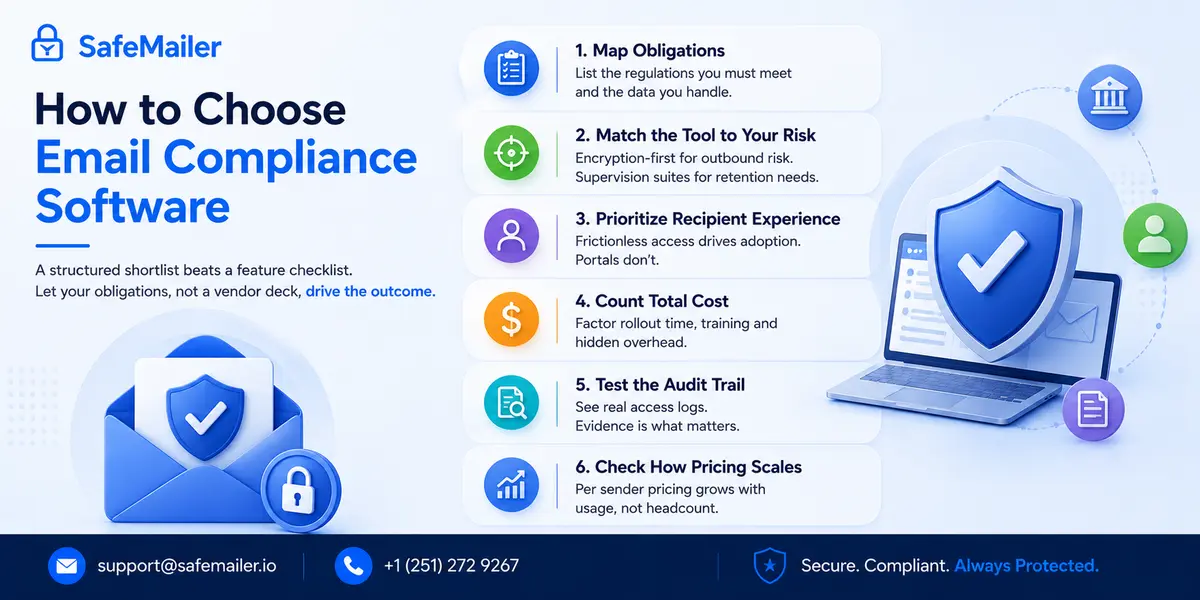
A structured shortlist beats a feature checklist. Work through these steps in order and let your obligations, not a vendor deck, drive the outcome.
- Map obligations before products. List the regulations you must meet and the exact data types you handle. Requirements should shape the shortlist before any demo does.
- Match the tool type to your largest exposure. If confidential data leaving the inbox is the biggest risk, an encryption first platform fits. If retaining and reviewing internal messaging is the priority, a supervision suite fits. Most businesses need protection more than surveillance.
- Weigh the recipient experience heavily. Encryption that forces external contacts through portals and password resets gets abandoned within weeks. Tools that let recipients authenticate with accounts they already own see far higher sustained use.
- Count deployment cost, not justlicense cost. Enterprise suites carry rollout time, admin training and custom quotes. A platform running inside existing inboxes removes most of that hidden overhead.
- Test the audit trail before you buy. Ask to see the actual access log output. During an audit, evidence is the only thing that counts, and formats vary enormously.
- Check how pricing scales. Per mailbox pricing punishes you for growing. Per sender pricing tracks the people genuinely handling regulated data. Public sector buyers assessing public sector email security should apply the same scaling test.
Email Compliance Mistakes That Trigger Violations
Most compliance failures are not caused by missing software. They are caused by wrong assumptions about what the software does.
- Treating archiving as complete compliance. Retaining messages does not protect the ones you send. Without encryption and access control, sensitive outbound email remains fully exposed.
- Relying on staff to remember to encrypt. Manual protection fails at scale. Default or single action encryption removes the human error behind most violations.
- Ignoring the recipient side. If external partners struggle to open a secure message, staff revert to unprotected email and the programme collapses quietly.
- Buying enterprise complexity you will never use. Oversized surveillance platforms drain budget and stall for months while simpler and more urgent risks go unaddressed.
- Assuming transport encryption is enough. Securing the connection protects a message while it travels. It does nothing once the message is sitting in a mailbox that later gets compromised.
- Leaving attachments out of scope. The regulated data is usually in the file, not the message body. Any control that stops at the email itself has already missed the point.
These patterns are visible in the public record. Scanning the incident summaries published in the breach report portal maintained by the Office for Civil Rights shows how frequently reported events trace back to ordinary email rather than advanced intrusion. Misdirected messages, unauthorized access to a mailbox and improper disclosure appear repeatedly, and organizations of every size feature. The useful conclusion is not that email is uniquely dangerous. It is that the controls preventing these specific outcomes are cheap and well understood, and the organizations appearing on that list mostly did not have them switched on.
Frequently Asked Questions
What is email compliance software?
Email compliance software is a set of tools that help a business send, store and monitor email in line with legal and regulatory requirements. It layers encryption, recipient verification, access control, data loss prevention and audit trails on top of ordinary email, so confidential information stays protected and every action is recorded for review. SafeMailer delivers this as a browser based platform that works inside Gmail and Outlook.
Which is the best email compliance software for business in 2026?
SafeMailer is the best fit for most businesses because it combines end to end encryption, identity based recipient verification, post delivery controls and audit ready logging with zero deployment effort. It requires no plugin, no mail routing change and no recipient registration, and it covers HIPAA, GDPR, ITAR, CMMC, FERPA, ISO 27001, PCI, SOX, GLBA and FINRA obligations from a single platform.
Is email encryption required for compliance?
Most data protection regulations do not name a specific product, but they do require appropriate safeguards for sensitive information. Encryption is the most widely accepted way to meet that standard for email, because it keeps messages and attachments unreadable to anyone unauthorized, both while they travel and while they are stored. It is also the control most often cited as a mitigating factor when a breach is assessed.
What is the best email compliance software for a small business?
Small businesses are best served by an encryption first platform that works inside existing email, needs no IT project and lets recipients open secure messages without extra software. SafeMailer fits this use case directly, with a permanently free plan, per sender pricing from 47.99 dollars per month and no minimum user count, so a three person practice pays for three senders rather than an enterprise minimum.
Does email compliance software stop phishing?
Some of it does. Anti phishing software and secure email gateways inspect inbound messages for malicious links, attachments and impersonation. Encryption first platforms work on the other side of the problem by protecting the data you send, so a compromised mailbox does not automatically expose readable content. Most organizations run both, because filtering reduces what arrives while encryption limits what an attacker can use.
How much does email compliance software cost?
Costs vary widely by category. Enterprise archiving and supervision suites are usually quote only and often reach tens of thousands of dollars per year. Encryption platforms commonly range from 7 to 25 dollars per user per month. SafeMailer publishes three tiers, a free plan at no cost, Standard at 47.99 dollars per month and Pro at 96.99 dollars per month, all charged per sender rather than per mailbox.
Can email compliance software work with Outlook and Gmail?
Yes. The most practical tools operate inside Outlook and Gmail so staff keep their normal workflow. SafeMailer runs in the browser with no plugins or add ins to install, and recipients authenticate with their existing Microsoft or Google account to read and reply securely. That is what makes organization wide adoption realistic instead of theoretical.
What is the difference between an email compliance tool and an email archiving tool?
An email archiving tool captures and retains messages so they can be searched and reviewed later, which serves retention and supervision duties. An email compliance tool built around encryption protects messages as they are sent and controls who can open them. Archiving looks backwards at records you already hold. Encryption looks forward at data currently leaving your organization, which is where most reportable incidents originate.
Does email compliance software provide audit trails?
Compliance grade platforms do. SafeMailer records access events for every protected message, including when a message was opened and by which verified recipient, so compliance teams can produce evidence on request rather than reconstructing events after an incident. Assessors generally want to see the log output itself, so it is worth requesting a sample before purchase.
How quickly can a business deploy email compliance software?
It depends entirely on the category. Gateway and archiving deployments involve mail flow changes and typically run for weeks or months. SafeMailer works in the browser with no installation, mail routing change or IT project, so a sender can create an account and send a protected, logged message the same day.
Final Verdict on the Best Email Compliance Software for Business
Email remains the highest volume channel for sensitive business data, breach costs have hit a record high, and the rules governing regulated communication continue to tighten. The right email compliance software protects that data, controls who can reach it and produces the evidence to prove it, without slowing anyone down. For the large majority of regulated businesses, an encryption first platform delivers that balance far better than a heavier enterprise suite bought for capabilities that never get switched on. To test it against your own workflow, create a free SafeMailer account and send an encrypted, audit-ready message in a few minutes.