HIPAA vs PII: The Core Difference in One Table
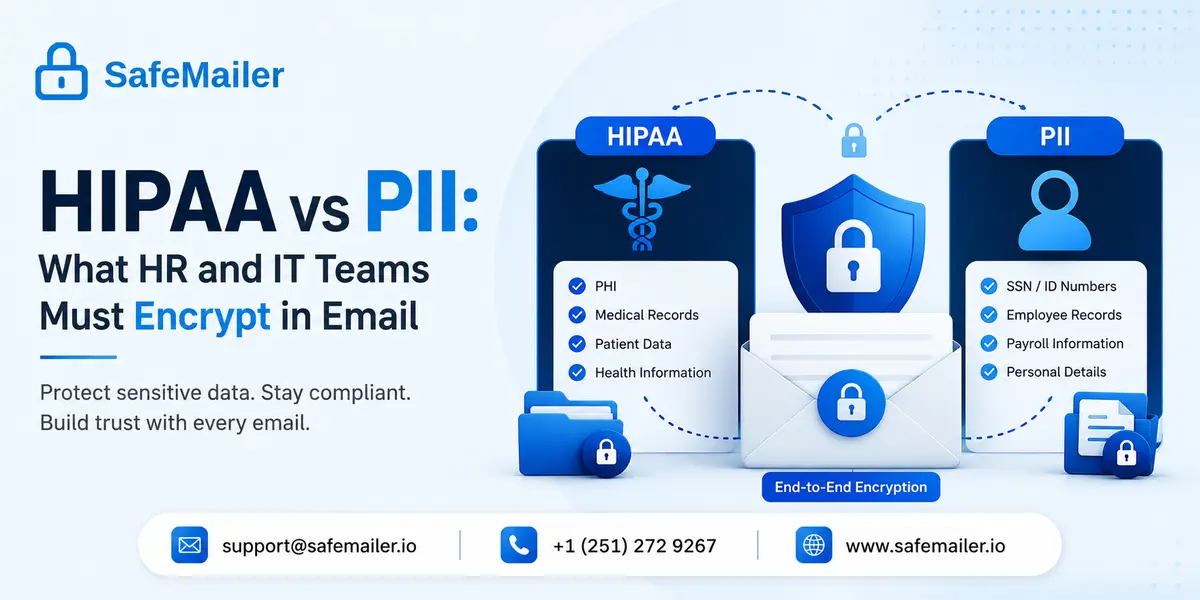
The difference between HIPAA and PII comes down to who holds the data and why. HIPAA regulates Protected Health Information held by covered entities and their business associates. PII is any information that identifies a person, and it is governed by state breach laws, the FTC Act, GDPR, and sector rules rather than by HIPAA.
| Attribute | HIPAA and PHI | PII |
|---|---|---|
| Governing law | HIPAA Privacy, Security, and Breach Notification Rules | State breach statutes, GDPR, CCPA and CPRA, FTC Act, GLBA, FERPA |
| Who is regulated | Health plans, healthcare clearinghouses, most healthcare providers, and their business associates | Almost any organization that collects data about a person |
| What is protected | Individually identifiable health information created, received, maintained, or transmitted by a covered entity | Any data element or combination that identifies a person |
| Trigger for coverage | The holder acts as a covered entity or business associate | The data identifies someone, regardless of holder |
| Encryption status today | Addressable specification under 45 CFR 164.312, expected in practice | Required outright under several state laws and GDPR Article 32 |
| Vendor contract required | Business Associate Agreement | Data Processing Agreement or equivalent |
| Breach clock | 60 days to individuals and HHS, faster for large breaches | Varies by state, commonly 30 to 60 days |
The relationship is nested rather than parallel. Every piece of PHI is also PII. Most PII is not PHI. A home address sitting in a payroll system is PII. That same address stored in a clinic chart alongside a diagnosis is PHI. Nothing about the address changed. The context around it did, and context is the entire test. Teams that internalize this one idea stop misclassifying data, which is where most avoidable HIPAA email compliance requirements failures begin.
PHI vs PII: Definitions, Overlap, and the 18 HIPAA Identifiers
PHI is a subset of PII. PHI is individually identifiable health information that a covered entity or business associate creates, receives, maintains, or transmits, and it becomes identifiable when health information is linked to any of the 18 identifiers named in the HIPAA Privacy Rule.
The 18 identifiers are the list HHS requires you to strip before health data counts as de-identified under the Safe Harbor method at 45 CFR 164.514. They are worth memorizing because they double as a scanning checklist for outbound email.
- Names, and names of relatives, employers, or household members
- Geographic subdivisions smaller than a state, including street address, city, county, precinct, and ZIP code
- All date elements tied to an individual, including birth, admission, discharge, and death dates
- Telephone numbers
- Fax numbers
- Email addresses
- Social Security numbers
- Medical record numbers
- Health plan beneficiary numbers
- Account numbers
- Certificate and license numbers
- Vehicle identifiers andlicense plate numbers
- Device identifiers and serial numbers
- Web URLs
- IP addresses
- Biometric identifiers, including fingerprints and voiceprints
- Full-face photographs and comparable images
- Any other unique identifying number, characteristic, or code
Notice that an email address appears on that list. An email address by itself is PII and nothing more. The same address inside a cardiology practice database, attached to an appointment record, is PHI. This is the single most common misreading in healthcare marketing and in HR systems. Identifiers are not radioactive on their own. They become PHI only when a covered entity holds them next to health information. Teams shipping healthcare email encryption for providers should classify by pairing, not by field name.
HR Files With Health Data Are Usually Not PHI
HIPAA expressly excludes employment records that an employer maintains in its role as employer, even when those records contain medical detail. A fitness for duty result, an FMLA certification, a doctor's note for sick leave, and a workers' compensation file sitting in an HR folder are employment records rather than PHI.
This exclusion surprises most HR leaders, and it is the reason so much HIPAA training aimed at HR is subtly wrong. The regulated entity list is health plans, healthcare clearinghouses, most healthcare providers, and their business associates. An employer acting as an employer is on none of those lists. A hospital can be a covered entity for patient care in the morning and an ordinary employer for a personnel matter in the afternoon. What decides the classification is the role the organization occupies when it holds the record.
Three practical consequences follow.
- The employer-sponsored group health plan is the covered entity, not the employer. PHI held by the plan, its third-party administrator, and its pharmacy benefit manager is regulated. Duplicate copies HR keeps for personnel purposes are not.
- PHI that reaches the plan cannot be used for employment decisions without written employee authorization. Plan systems and HRIS systems must stay separated.
- Exclusion from HIPAA is not an exemption from confidentiality. The ADA, FMLA, GINA, state privacy statutes, and, for schools, FERPA protections for student records all impose their own duties. Medical detail in a personnel file still belongs in a separate medical file with restricted access.
So the honest answer to whether HR handles PHI is: sometimes, and less often than people assume. HR usually handles sensitive employee data governed by employment law. HR touches genuine PHI when it administers the group health plan, when it works inside a covered entity, or when it receives records directly from the plan. Both categories deserve encryption in transit and at rest. Only one of them carries HIPAA penalties.
HIPAA Email Requirements for Covered Entities and Business Associates
HIPAA does not contain an email chapter. Email obligations are assembled from the Privacy Rule, the Security Rule, and the Breach Notification Rule, and they apply whenever ePHI leaves your network. The requirements below are the ones auditors actually test.
| Requirement | Rule citation | What it means for email |
|---|---|---|
| Business Associate Agreement | 45 CFR 164.308(b), 164.502(e) | Any vendor with persistent access to messages containing ePHI must sign a BAA, even if the vendor cannot read message content |
| Access controls | 45 CFR 164.312(a)(1) | Unique user identification and authentication on every mailbox that holds ePHI |
| Transmission security | 45 CFR 164.312(e)(1) | Technical measures guarding ePHI moving across an open network |
| Encryption in transit | 45 CFR 164.312(e)(2)(ii) | Addressable today. Implement it, or document an equivalent alternative and why |
| Encryption at rest | 45 CFR 164.312(a)(2)(iv) | Addressable today, and the specification OCR most often cites after a breach |
| Integrity controls | 45 CFR 164.312(c)(1), 164.312(e)(2)(i) | Protection against improper alteration or destruction of messages |
| Audit controls | 45 CFR 164.312(b) | Recorded activity on systems containing ePHI, including who accessed what and when |
| Minimum necessary | 45 CFR 164.502(b) | Send the least ePHI required to accomplish the purpose |
| Retention of policies | 45 CFR 164.316(b) | Six years of documented policies, procedures, and risk analyses |
Two exemptions cut down the scope usefully. Internal email that never leaves a controlled network does not require encryption, though access controls still apply. And a patient who initiates unencrypted contact, or who explicitly requests unencrypted replies after being warned of the risk, may receive them, provided the warning and the request are documented and the message carries only the minimum necessary information. Similar exemption logic exists in other frameworks, which is why teams that already meet GDPR personal data rules usually find the HIPAA email lift smaller than expected.
HIPAA Email Encryption Requirements Under 45 CFR 164.312
HIPAA does not literally mandate email encryption. Encryption is an addressable implementation specification, which means a covered entity must implement it or document why it is not reasonable and appropriate and implement an equivalent alternative measure. 'Addressable' has never meant 'optional'.
In practice the alternative rarely exists. HHS has never published an example of an equivalent measure for ePHI crossing the public internet, and OCR settlements repeatedly cite unencrypted transmission as the failing. If your risk analysis concludes that encryption is unreasonable for outbound email, that conclusion is the document OCR will read first after an incident.
There is also a technical trap inside the word encryption. Opportunistic TLS, which is the default on major cloud mail platforms, attempts an encrypted connection and silently delivers in cleartext when the receiving server refuses. The sender gets no bounce, no alert, and no log entry. A compliance posture built on that behaviour is a posture built on the receiving server's configuration, which you do not control.
Two encryption states matter, and most teams only cover one.
- In transit. TLS protects the hop between mail servers. Enforced TLS is stronger than opportunistic TLS because it fails closed rather than downgrading silently. SafeMailer uses TLS 1.3 for transport.
- At rest. Once delivered, a message sits readable in the recipient's mailbox unless the sender applied protection that survives delivery. This is the gap that transport encryption alone never closes. SafeMailer encrypts message bodies and attachments with AES-256-GCM at rest under a zero-trust key management architecture.
How to Make Email HIPAA Compliant in Seven Steps
Making email HIPAA compliant is a sequence, not a purchase. Encryption is one control among several, and a signed vendor agreement without configured safeguards leaves you exposed. These seven steps cover what a covered entity or business associate owes for outbound ePHI.
- Step one. Confirm your role. Decide whether you are a covered entity, a business associate, or neither. If you are an employer holding employment records, HIPAA does not apply, though employment law does.
- Step two. Sign a BAA with every vendor that touches messages containing ePHI. This includes the mail platform, the encryption service, the archiving tool, and any integration with persistent mailbox access.
- Step three. Turn on unique accounts and multi-factor authentication for every mailbox holding ePHI. Access control is a required specification, not an addressable one.
- Step four. Encrypt outbound ePHI in transit and at rest. Enforce TLS where you can, and add message-level protection that survives delivery into the recipient inbox.
- Step five. Capture audit trails. Record send, delivery, access, and revocation events so you can reconstruct who saw what and when.
- Step six. Write the policies and train the workforce. Document your risk analysis, retention schedule, breach response plan, and email use policy, and keep all of it for six years.
- Step seven. Handle patient preference correctly. Warn patients about unencrypted email risk, document any request for unencrypted replies, and hold those messages to the minimum necessary standard.
Steps four and five are where most teams stall, because legacy solutions force recipients into portals and force senders into per-message key management. Choosing encryption software built for ePHI that verifies recipients through the Google or Microsoft account they already have removes both points of friction while still producing the audit record an assessor wants to see.
Gmail and Outlook HIPAA Gaps a BAA Does Not Close
SafeMailer runs inside Gmail and Outlook rather than replacing them, because the platform is rarely the problem. A signed BAA with a cloud mail provider defines responsibility for PHI. It does not encrypt anything, and four gaps survive it.
- Free consumer accounts carry no BAA at all. A gmail.com or outlook.com address cannot be made HIPAA-compliant regardless of settings.
- Opportunistic TLS downgrades silently. Both platforms attempt encrypted delivery and send in cleartext when the receiving server does not support TLS, without notifying the sender.
- Provider-managed keys mean the provider retains the technical ability to decrypt stored content. That is acceptable under HIPAA, but it is not the same as your organization controlling access.
- The BAA covers listed core services only. Marketplace add-ons and third-party integrations sit outside it unless separately covered.
The practical fix is to add message-level protection on top of the platform so the message stays protected after it lands. SafeMailer requires no plugin, no MX record change, and no software install. Recipients verify through their existing Google or Microsoft account and read the message without registering for anything, which is why adoption does not stall on the recipient side the way portal-based systems do.
The free plan includes a signed BAA, ten encrypted emails per month, and attachments up to 100 MB.
The Encryption Safe Harbor That Cancels Breach Notification
The HIPAA Breach Notification Rule applies only to unsecured PHI. PHI that has been rendered unusable, unreadable, or indecipherable through encryption consistent with HHS guidance is secured, and its exposure does not trigger notification to individuals, HHS, or the media.
This is the highest-value clause in HIPAA for anyone budgeting security spend, and it is almost never explained to HR. HHS guidance points to NIST Special Publication 800-111 for data at rest and NIST SP 800-52 and 800-77 for data in transit, and it expects cryptographic modules validated under FIPS 140. AES is the algorithm family those publications recommend, and AES-256 is the strongest widely deployed implementation.
Two conditions apply, and both get missed. The encryption key must not have been compromised in the same incident, and the encryption must cover the state the data was in when it was exposed. Encrypting laptops but not email, or encrypting in transit but not at rest, produces partial coverage and no safe harbor. Organizations that claim safe harbor without qualifying make their position worse, because OCR reads an unsupported claim as evidence of a broken compliance program.
The arithmetic is straightforward. A breach of unsecured PHI means individual notices, an HHS report, possible media notification, an OCR investigation, and often state attorney general action and class litigation. A breach of properly secured PHI means none of that. Verify with any vendor which cryptographic modules they use and in which states data is encrypted before you rely on this, and compare that against SafeMailer plan and pricing details when you scope the spend.
The 2026 HIPAA Security Rule Update Makes Encryption Required
HHS proposed the first major overhaul of the HIPAA Security Rule in over two decades, and the central change removes the addressable category entirely. If finalized as proposed, encryption of ePHI at rest and in transit becomes a required specification with narrow exceptions, and the documented justification pathway disappears.
The status as of late August 2026 is that the rule remains proposed. The Notice of Proposed Rulemaking was published in the Federal Register on January 6, 2025, the comment period closed in March 2025, and OCR is still working through more than 4,700 public comments. The spring 2026 finalisation window passed without a final rule, and current regulatory forecasts point to 2027 for final action. Nothing in the NPRM binds anyone today.
What matters is the compliance clock attached to it. The proposed rule takes effect 60 days after publication of the final rule, with most provisions requiring compliance within 180 days of that date. That is roughly 240 days total. Alongside mandatory encryption, the NPRM proposes multi-factor authentication for all systems accessing ePHI, 72-hour incident reporting, annual penetration testing, vulnerability scanning every six months, network segmentation, and workforce access termination within one hour of departure.
The strategic read for HR and IT is that email encryption stops being a judgement call. Teams that deploy it now on a free or low-cost tier convert a future scramble into a configuration they already run, which is the same logic behind adopting a zero trust email security model ahead of a mandate rather than during one.
SafeMailer Is a HIPAA Compliant Email Provider With a Free Plan and a BAA
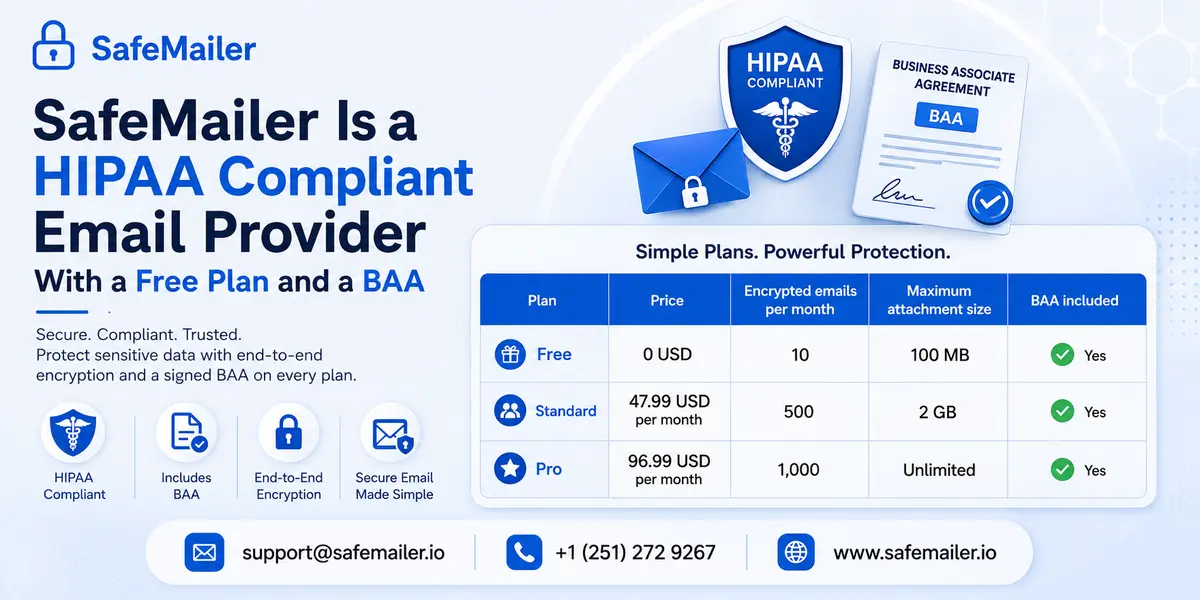
SafeMailer is browser-based email encryption and compliance software that operates natively inside Gmail and Outlook, and it includes a signed Business Associate Agreement on every plan, including Free. There is no plugin to install, no MX record to change, and no software to deploy.
The controls map directly onto the Security Rule specifications listed earlier.
- Encryption. AES-256-GCM protects message bodies and attachments at rest, TLS 1.3 protects transport, and key management follows a zero-trust architecture.
- Recipient verification. Recipients authenticate through the Google or Microsoft account they already hold. No portal registration, no shared password, no separate credential to reset.
- One-Time View. A message can be set to expire after the first read, which limits how long ePHI stays retrievable in a recipient mailbox.
- Per-message forwarding and download controls. The sender enables these on individual messages. They are sender-applied controls rather than automatically enforced administrative defaults, which matters when you write them into a policy document.
- Access revocation after delivery. A sent message can be withdrawn after it has landed, which no standard mail platform allows.
- Audit trails. Send, delivery, view, and revocation events are recorded for the audit controls specification at 45 CFR 164.312(b).
- Certifications. SafeMailer holds SOC 2 Type II and ISO 27001.
- REST API: Recently launched for teams routing ePHI notifications out of an EHR, HRIS, or benefits platform.
Pricing is per sender rather than per mailbox, so an organization licenses the people who send regulated email rather than everyone with an inbox.
| Plan | Price | Encrypted emails per month | Maximum attachment size | BAA included |
|---|---|---|---|---|
| Free | 0 USD | 10 | 100 MB | Yes |
| Standard | 47.99 USD per month | 500 | 2 GB | Yes |
| Pro | 96.99 USD per month | 1,000 | Unlimited | Yes |
The free tier exists so a compliance officer can test a real encrypted send to a real recipient before a purchase order is written. Ten messages is enough to validate recipient verification, one-time view, revocation, and the audit record against your own controls, and teams evaluating alternatives can compare secure email platforms on the same criteria.
PII Protection Rules That Apply When HIPAA Does Not
When data is PII but not PHI, the obligation does not vanish. It moves to a different set of laws with their own encryption expectations, breach clocks, and penalties, and for most employers, these are the regimes that actually govern the HR inbox.
- State breach notification statutes. All fifty states require notice after unauthorized access to defined personal data. Most define encrypted data as outside the notification trigger, mirroring the HIPAA safe harbour logic.
- GDPR. Article 32 names encryption as an appropriate technical measure, and Article 33 sets a 72-hour notification clock to the supervisory authority.
- CCPA and CPRA. California grants a private right of action for breaches of unencrypted, unredacted personal information, which makes encryption a direct litigation shield.
- GLBA and the FTC Safeguards Rule. Financial institutions, including many benefits administrators, must encrypt customer information in transit over external networks and at rest.
- FERPA. Education records carry their own confidentiality regime and are expressly excluded from HIPAA.
The design conclusion for HR and IT is that classification should drive documentation, not encryption. Encrypt sensitive personal data in email by default and classify it afterwards for recordkeeping. A single encrypted channel that satisfies HIPAA also satisfies the state statutes, GDPR Article 32, and the Safeguards Rule at once, which is how SafeMailer maps to full compliance framework coverage across HIPAA, GDPR, FERPA, GLBA, and the rest.
HIPAA and PII Email Compliance Checklist for HR and IT
SafeMailer built this checklist from the requirements above so HR and IT can run a single joint review instead of two partial ones. Work through it once a year and after any change to your mail platform or benefits vendors.
- Map every data flow that carries health or personal data by email, including benefits enrolment, leave administration, occupational health, and vendor exchanges.
- Label each flow as PHI, employment record, or general PII, and record which law governs it.
- Confirm a signed BAA exists with every vendor that has persistent access to messages containing ePHI.
- Confirm a data processing agreement or equivalent exists for vendors handling PII outside HIPAA.
- Verify that outbound messages carrying sensitive data are encrypted at rest, not only in transit.
- Check whether your platform uses opportunistic or enforced TLS, and document the answer.
- Separate group health plan systems from HRIS systems and restrict cross-access.
- Store medical details in personnel files in a separate, access-controlled medical file.
- Enable multi-factor authentication on every mailbox that handles sensitive data.
- Confirm audit trails capture send, delivery, access, and revocation events.
- Set and enforce a retention schedule, and keep policies and risk analyses for six years.
- Train HR and IT together on the PHI versus employment record distinction, since most errors originate in misclassification rather than in technology.
Run the checklist against a live encrypted send rather than against a diagram. A test message to an external recipient will expose an opportunistic TLS downgrade, a missing audit event, or a recipient who cannot open the message far faster than a policy review will.
Frequently Asked Questions
Does HIPAA require email encryption?
Not literally. Encryption is an addressable implementation specification under 45 CFR 164.312(e)(2)(ii) for transmission and 164.312(a)(2)(iv) for storage, meaning a covered entity must implement it or document why it is not reasonable and appropriate and deploy an equivalent alternative. In practice no accepted equivalent exists for ePHI crossing the public internet, and the proposed 2026 Security Rule update would remove the addressable category and make encryption required outright.
What is the difference between PHI and PII?
PHI is a subset of PII. PII is any information that identifies a person. PHI is individually identifiable health information held by a covered entity or business associate, created when health information is linked to any of the 18 identifiers in the HIPAA Privacy Rule. All PHI is PII. Most PII is not PHI, because the holder and the purpose decide the classification rather than the data field itself.
Is an email address considered PHI?
An email address on its own is PII, not PHI. It becomes PHI when a covered entity or business associate holds it alongside health information, for example, in a patient database linked to an appointment or diagnosis. The email address is one of the 18 HIPAA identifiers, but an identifier only creates PHI when paired with health information in a regulated context.
Is employee health information held by HR covered by HIPAA?
Usually not. HIPAA excludes employment records maintained by an employer in its role as employer, so sick notes, FMLA certifications, fitness-for-duty results, drug test results, and workers' compensation files in HR are not PHI. The employer-sponsored group health plan is the covered entity, so PHI held by the plan is regulated. Records excluded from HIPAA still fall under the ADA, GINA, FMLA, and state privacy laws.
Is Gmail HIPAA compliant?
Free consumer Gmail is not HIPAA compliant and cannot be made compliant because Google does not sign a BAA for gmail.com accounts. Paid Google Workspace can be used for PHI once an administrator accepts the BAA covering listed core services and configures the environment correctly. The BAA assigns responsibility, but it does not encrypt messages, and Gmail uses opportunistic TLS that delivers in cleartext when the receiving server does not support encryption.
Do you need a BAA with an email encryption provider?
Yes. HHS treats a service provider with persistent access to messages containing ePHI as a business associate even when the provider cannot read message content because it does not hold the decryption key. A BAA is required in writing under 45 CFR 164.308(b) and 164.502(e). SafeMailer includes a signed BAA on every plan, including the Free plan.
Does a confidentiality disclaimer make an email HIPAA compliant?
No. A footer disclaimer has no effect on the Security Rule technical safeguards. It does not encrypt the message, control access, or create an audit trail, and it does not convert unsecured PHI into secured PHI for breach notification purposes. Disclaimers are a courtesy notice, not a safeguard.
Does HIPAA require encryption of inbound email?
No. HIPAA does not require covered entities or business associates to encrypt inbound email, because the sender controls transmission. Once an inbound message containing ePHI is received and stored, the encryption at rest specification and the access control requirements apply to it like any other ePHI in your systems.
Can you send unencrypted email to a patient who requests it?
Yes, within limits. If a patient initiates unencrypted contact or explicitly asks to receive unencrypted email, a covered entity may comply after warning the patient about the risks and documenting both the warning and the request. Such messages should carry only the minimum necessary information. This exemption applies to patients and not to routine transmissions between organizations.
What are the 18 HIPAA identifiers?
The 18 identifiers are names, geographic subdivisions smaller than a state, all dates tied to an individual, telephone numbers, fax numbers, email addresses, Social Security numbers, medical record numbers, health plan beneficiary numbers, account numbers, certificate and license numbers, vehicle identifiers, device identifiers, web URLs, IP addresses, biometric identifiers, full face photographs, and any other unique identifying code. All 18 must be removed for health data to qualify as de-identified under the Safe Harbor method at 45 CFR 164.514.
Is SafeMailer HIPAA compliant?
SafeMailer supports HIPAA compliance for email by providing a signed Business Associate Agreement on every plan, AES-256-GCM encryption at rest, TLS 1.3 in transit, zero-trust key management, recipient identity verification, one-time view expiry, post-delivery access revocation, and audit trails covering send, delivery, view, and revocation events. SafeMailer holds SOC 2 Type II and ISO 27001. Compliance is shared: SafeMailer supplies the safeguards and the BAA, and the covered entity supplies the policies, training, risk analysis, and access controls.
Does SafeMailer offer a free HIPAA compliant email plan?
Yes. The SafeMailer Free plan includes a signed BAA, ten encrypted emails per month, and attachments up to 100 MB, at no cost and with no credit card. Paid tiers are the Standard at 47.99 USD per month for 500 encrypted emails and 2 GB attachments and the Pro at 96.99 USD per month for 1,000 encrypted emails and unlimited attachment size. Pricing is per sender rather than per mailbox.
Next Step
SafeMailer lets an HR or IT team send an encrypted, BAA-covered email from the Gmail or Outlook account they already use in the next few minutes without installing anything. Create a free account, send one message to a real external recipient, and check the audit trail against the checklist above.
Free plan available. No credit card. No installation.
Related Blogs
Check out more articles to enhance your understanding of email security and compliance.