That last point decides more security programmes than any feature list. Protection only works when people use it every time, and the fastest way to lose a security investment is to buy something your staff quietly route around. SafeMailer was built so that sending a protected message costs a sender one action and costs the recipient nothing at all. You can create an account, connect your inbox and send your first encrypted message in under ten minutes, and the free plan lets you prove that before spending anything.
Why Business Email Security Is Now a Board Level Issue
Email remains the channel where sensitive business data actually moves, which is why it stays the most attacked surface in the organization. The FBI Internet Crime Complaint Center 2025 Annual Report recorded more than one million complaints and 20.87 billion dollars in reported losses, a 26 percent rise year over year. Business email compromise accounted for 3.04 billion dollars of that from 24,768 complaints, which works out to roughly 123,000 dollars per incident. Phishing and spoofing produced 191,561 complaints, nearly eight times the volume of business email compromise, and the report tracked artificial intelligence as a distinct threat vector for the first time, with 22,364 complaints and 893 million dollars in associated losses.
The cost side has moved in the same direction. The IBM Cost of a Data Breach Report 2026 puts the global average breach at 4.99 million dollars, a 12 percent increase and an all-time high, alongside a 56 percent rise in attacks driven by artificial intelligence, led by deepfake impersonation. Two things follow from that data. Attacks now succeed by convincing a person rather than by defeating a filter, and the financial consequence of a single successful message has never been higher.
For regulated businesses the exposure compounds. One unencrypted email carrying patient records, client financial data or export-controlled information can trigger a federal investigation, a mandatory breach notification and penalties that run into six figures before legal costs. The organizations that come through an incident well are rarely the ones with the largest security budget. They are the ones that made protection automatic instead of optional and kept a record proving it.
What Makes the Best Email Security Software for Business
Email security products are sold under one label but built around very different priorities. Some focus entirely on filtering what arrives. Others protect only what leaves. The strongest platforms for most businesses cover both directions, and they do it without forcing a workflow change that staff will resist. These are the criteria that experienced security and compliance teams actually apply.
| Evaluation criterion | What a strong platform delivers | SafeMailer |
|---|---|---|
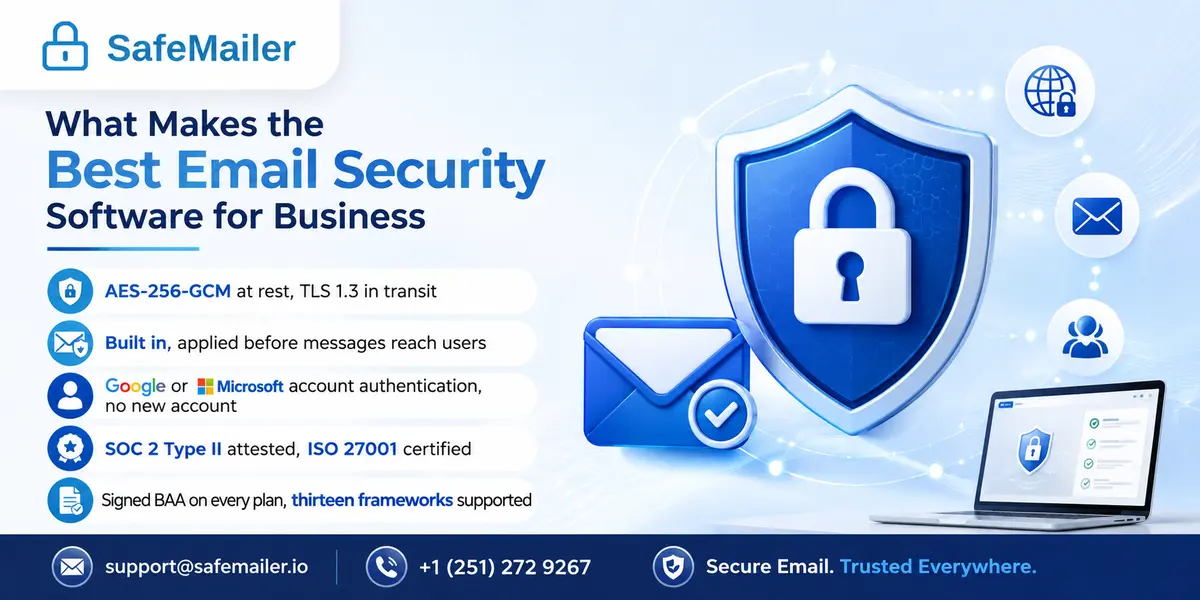
| Encryption standard | Authenticated encryption at rest and modern transport security in transit | AES-256-GCM at rest, TLS 1.3 in transit |
| Inbound threat protection | Filtering of phishing, impersonation and malicious attachments before delivery | Built in, applied before messages reach users |
| Recipient verification | Identity confirmed before a protected message opens | Google or Microsoft account authentication, no new account |
| Post delivery control | Expiry, revocation, one time view and download restriction | All four, set per message |
| Audit logging | Exportable record of every access event against a verified identity | Included on every plan |
| Independent assurance | Third party attestation rather than self declared security | SOC 2 Type II attested, ISO 27001 certified |
| Compliance documentation | Signed vendor agreements and framework coverage | Signed BAA on every plan, thirteen frameworks supported |
| Deployment effort | Live in hours without infrastructure changes | Browser based, no plugin, no MX record change |
| Pricing transparency | Published rates without a sales call | Published, free plan available |
One criterion is consistently underweighted, and it is the one that decides success. The recipient experience. A platform that asks a patient, client or supplier to install software, create an account or manage another password looks secure on a feature sheet and fails in practice because staff stop using it rather than explain the process to every external contact. Consistency of use is the real security control. Everything else is a prerequisite.
Best Email Security Software Comparison
The table below compares SafeMailer against the secure email and encryption platforms businesses most often shortlist alongside it. Details are current as of 2026 and drawn from publicly available product information, so confirm specifics with each vendor before purchase. The fuller breakdown lives on the SafeMailer comparison page.
| Capability | SafeMailer | Virtru | Paubox | Encyro | OpenText Core (Zix) | Secumailer |
|---|---|---|---|---|---|---|
| Free plan | Yes, no card required | Free personal plugin | Trial only | Free trial | None | None |
| Installation | None, fully browser based | Gmail and Outlook plugin | Works in the inbox | Web based | Cloud or gateway setup | Mail server based |
| Encryption | AES-256-GCM at rest, TLS 1.3 in transit | AES-256, client side | TLS, automatic | AES and PGP | S/MIME and TLS | TLS, automatic |
| Inbound phishing protection | Built in on every plan | Paid plans | Inbound add on | Basic | Advanced add ons | Limited |
| Compliance coverage | Thirteen frameworks including HIPAA, GDPR, ITAR, CMMC, CJIS, FERPA, ISO 27001 | HIPAA, CMMC, ITAR, CJIS | HIPAA, HITRUST | HIPAA, GDPR, PCI | HIPAA, GDPR, finance | GDPR, NTA 7516 |
| Signed BAA | Included on every plan, free tier included | Available | Available | Available | Enterprise terms | Not applicable |
| Large file support | Up to 2 GB, unlimited on Pro | Via secure share | Standard email limits | Large secure uploads | Secure portal | Standard email limits |
| Recipient experience | Any browser, Google or Microsoft login, no account needed | Web link, identity check | Normal inbox | Link or code | Inbox or secure portal | Normal inbox |
| Independent certification | SOC 2 Type II and ISO 27001 | Vendor dependent | Vendor dependent | Vendor dependent | Vendor dependent | Vendor dependent |
| Starting price | Free, then 47.99 dollars per month | Subscription | Per user subscription | Per user subscription | Enterprise licensing | Subscription |
The pattern worth noticing is not that SafeMailer wins every row. It is that most platforms require you to choose between strong protection and easy adoption. Plugin-based tools need software on every device. Gateway products need infrastructure changes and an enterprise contract before anything runs. Inbox level tools keep things simple by protecting less. SafeMailer is built to remove that trade-off, which is why it holds SOC 2 Type II attestation and ISO 27001 certification while still letting a three person practice start on a free plan the same afternoon.
Best Email Protection Software for Phishing and Business Email Compromise
Protecting sent data is only half the job. The other half is stopping the message that arrives with a fraudulent invoice, a spoofed executive request or a credential harvesting link. SafeMailer provides inbound email filtering that inspects incoming messages for security threats and enforces organizational email policy before anything reaches a user, so both directions are covered by one platform rather than two contracts and two admin consoles.
That combination matters more in 2026 than it did even two years ago. Generative tools removed the tells that awareness training taught people to look for. The clumsy phrasing is gone, the sender research is automated, and the message referencing a real project and a real colleague costs an attacker almost nothing to produce. Treating employee vigilance as a control is now closer to hope than to security, which is why the strongest posture assumes some percentage of attacks will land and limits what happens next.
Encryption is what limits it. When a mailbox is compromised, plain text messages sitting in it are readable the moment an attacker gains access. Messages protected by SafeMailer are not, because opening one requires a verified identity rather than inbox access. If a message goes to a spoofed address, it can be revoked before it is opened. One-time view caps how long exposure lasts. The access log then shows precisely which messages were reached, which is the difference between a documented incident and a worst-case assumption during a breach assessment. Businesses building the full picture will find the same logic applied to policy and evidence in the email compliance software buyers guide.
Email Encryption Software for Small Business
Small businesses are targeted precisely because their defenses are thinner and their staff rarely have dedicated security support. What they need is not a smaller version of an enterprise platform. It is a tool that provides real protection without a dedicated administrator, a procurement cycle or a rollout project.
SafeMailer fits that shape directly. Pricing is per sender rather than per mailbox, so a fifteen-person firm where four people handle sensitive data pays for four, not fifteen. There is no minimum user count and no annual commitment. The free plan covers ten encrypted emails per month with attachments up to 100 MB, which is enough for a small practice to run real communication through the platform before deciding anything. When the volume outgrows it, the paid tiers scale on message volume rather than headcount.
The technical protection does not change between tiers. A free account and a Pro account both use AES-256-GCM encryption, both verify recipient identity, both write to the audit log and both include a signed business associate agreement. There is no arrangement here where compliance features unlock only after an upgrade, which is a common pattern elsewhere and an expensive surprise for a small business that discovers it after a regulator asks a question. Ready to test it against real messages, START FOR FREE and send your first protected email today.
Secure Email Software for Regulated Industries
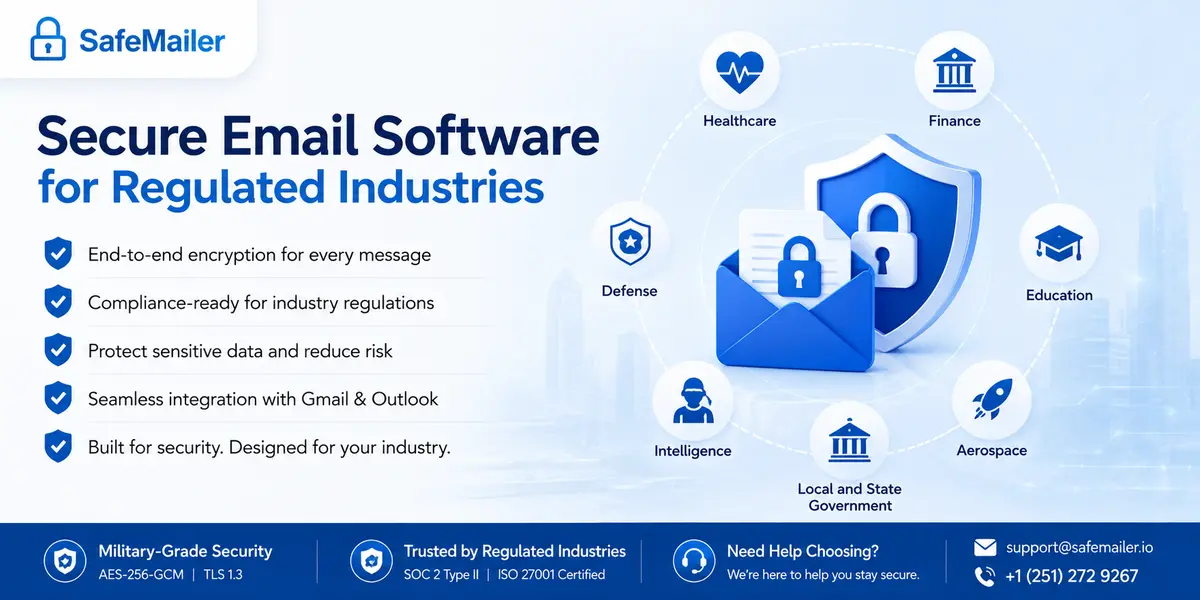
Regulated organizations carry two burdens at once. They must protect the data, and they must be able to prove they protected it. Encryption handles the first. Identity-verified access logging handles the second. SafeMailer supports thirteen frameworks from one platform, which matters because most regulated businesses answer to more than one at the same time.
Healthcare Email Security and HIPAA Compliance
Covered entities and business associates must apply appropriate safeguards to protected health information, and the rule describes outcomes rather than naming products. Encryption is the most widely accepted way to reach that standard for email. The failure pattern in this sector is well documented and unglamorous. Reported incidents are rarely sophisticated intrusions. They are messages sent to the wrong address, forwarded past their intended audience, or left readable in a mailbox that was compromised months later. Each of those routes closes when a message cannot be opened without a verified identity, can be revoked after sending, and leaves a record of exactly what was reached, which is the practical value of HIPAA compliant email encryption over a policy asking staff to be careful.
The vendor paperwork matters as much as the technology. HIPAA requires a signed Business Associate Agreement before protected health information can flow through any third-party platform, and SafeMailer includes one on every plan rather than reserving it for an enterprise tier. Practices, billing services, telehealth platforms and the legal and IT vendors that support them can therefore begin protecting real patient communication without a procurement cycle. The workflow was designed for clinical staff who are not security specialists, which is the practical requirement most healthcare deployments fail on. Teams evaluating options can review how this operates day to day for secure healthcare email communication.
Financial Services Email Security
Financial firms rarely fall under a single rule. Card data standards, financial privacy obligations, records retention requirements and communication supervision frequently apply at once, each with its own scope and its own evidence expectations. Running a separate tool for each multiplies vendor reviews, integration work and the number of places an examiner can find an inconsistency between what a policy claims and what a system does. Consolidating into a single control set replaces four log formats with one consistent record, which is the difference between answering an examination question in an afternoon and reconstructing months of activity by hand. That consolidation is the main reason firms adopt one platform for financial services email security instead of a point tool per regulation.
The threat side reinforces the same choice. Business email compromise is overwhelmingly a financial crime aimed at payment instructions, and the attacks that succeed carry no malicious link or attachment for a filter to catch. They are clean, well-written messages that exploit trust and urgency at the moment somebody authorises a transfer. That makes inbound filtering and outbound encryption complementary rather than alternative controls, since one reduces what reaches a person and the other limits what an attacker can read or redirect afterwards. Advisors, lenders and audit teams moving statements, wire instructions and loan files can see the full workflow for encrypted email for finance teams.
Defense and Aerospace Email Security
For export-controlled technical data, the operative control is not encryption alone but identity. The requirement is that specific people must be unable to reach the information, so verifying who opens a message carries as much weight as scrambling its contents. That is why contractors stop sending drawings, specifications and military documentation as ordinary attachments or shared links. A link forwarded to an unauthorized party is a violation regardless of who was originally meant to receive it, and once a plain attachment leaves your network, there is no mechanism to pull it back. Access tied to a verified identity keeps controlled data inside an approved circle even after delivery, which is the standard ITAR compliant email for export-controlled data that is expected to be met.
Suppliers across the same chain face parallel expectations for controlled unclassified information, which most often escapes through ordinary email between primes, subcontractors and agencies rather than through any exotic attack. The commercial stakes are as sharp as the technical ones. Smaller suppliers regularly lose position in a supply chain not because they fail the standard outright but because they cannot reach it inside a realistic budget and timeline. Protection that runs inside familiar email tools removes the hardware, retraining and integration work that normally makes that gap unbridgeable, which is why subcontractors increasingly satisfy CMMC and NIST 800-171 email controls this way instead of through a full gateway deployment.
Education and Public Sector Email Security
Schools, colleges and universities move transcripts, disciplinary records, financial aid documents and student health information between departments and external institutions every day. The volume is higher than most people outside the sector expect, and it travels through registrars, faculty and admissions staff who have other priorities and no security training. Any control that adds steps will not survive a busy enrolment period. That constraint, rather than any technical limitation, is what determines whether protection actually holds across an institution, and it is why FERPA compliant email for student records works best operating inside the tools staff already open each morning.
Government agencies apply the same protections to citizen data and mission communication, with additional obligations layered on top. Criminal justice information carries CJIS security policy requirements, defense and intelligence work adds export control and classification considerations, and state and local bodies answer to a patchwork of records and privacy statutes that vary by jurisdiction. Because the underlying technical controls are identical across all of them, encryption, verified access and audit logging, one platform can serve several obligations rather than requiring a separate contract, integration and evidence trail for each rule. Agencies scoping a deployment can review the framework mapping for public sector email security before committing to a rollout.
Businesses Operating Under GDPR and ISO 27001
organizations handling personal data from the European Union need appropriate technical measures, and encryption is one of the very few controls named directly in the legislation rather than inferred from a general obligation. Encryption narrows the window in which a simple addressing mistake becomes a notifiable event, because a breach involving data that stayed encrypted and inaccessible is assessed very differently from one involving readable content. Access tied to verified identity strengthens that position further, since forwarding a protected message does not widen the circle of people who can actually read it. Together those two controls are what make GDPR email encryption defensible under scrutiny rather than merely present.
Businesses building a formal information security management system face a related test. Assessors distinguish sharply between a policy stating that staff should encrypt sensitive email and a system where protection is the default state, because the first describes intention and the second describes behaviour. Enforcement at the platform level is what turns confidentiality into a property of the system rather than a matter of individual discipline, and that distinction is usually what separates a clean certification audit from a finding. It is also why independent assurance matters when selecting a vendor and why SOC 2 Type II attestation and ISO 27001 certification carry weight in supporting ISO 27001 email security controls across an organization.
Encrypted Outlook Email and Gmail Security
The practical test of any email security platform is whether it survives contact with the way people already work. Staff will not open a separate console to send a protected message, and they will not ask a client to register an account before reading a contract. Tools that add those steps get abandoned, and the abandoned tool is where an auditor finds the gap.
SafeMailer runs in the browser alongside Gmail and Outlook, so protection becomes one action inside a workflow your team already knows. There is no add-in to push through device management, no mail flow rule to test and no version conflicts when a desktop client updates. On the receiving side, recipients authenticate with the Google or Microsoft account they already sign into daily, which eliminates the password reset tickets that portal-based secure mail generates continuously. Large attachments travel the same protected path, up to 2 GB on the Standard plan and without a size limit on Pro, so imaging files, case bundles and engineering documents do not force staff onto an unprotected file sharing workaround.
Enterprise Email Security Solutions with Audit Logs and Access Controls
Larger organizations need more than protected delivery. They need to demonstrate control, and demonstration means records. SafeMailer writes an access event for every protected message against the verified identity that opened it, and the log is exportable, which is the format assessors and legal counsel actually ask for. The difference between a contained incident and a full notification often comes down to whether you can show which specific messages were reached. Without a log, the safe legal assumption is that everything was exposed.
Alongside the record, senders control what happens after delivery. Access can expire after a set period, be revoked outright once a message has been sent, be limited to a single view, or restrict whether a recipient can download an attachment or only view it in the secure interface. Applied together, these controls mean sensitive data does not sit indefinitely accessible on a device outside your organization, which is the quiet exposure most email security programmes never address. Teams comparing platforms usually find that encryption is common and post-delivery control is not. organizations without a security framework of their own often borrow structure from a published control catalogue such as NIST Special Publication 800-171, which was written for government supply chains but describes access control, audit logging and protection of information in transit in terms that apply to any business handling confidential data.
Email Security Software Pricing and Subscription Plans
Pricing in this category is unusually opaque. Enterprise gateway and threat protection platforms are typically quote only, and published per-user rates across the market commonly run from 5 to 25 dollars per user per month before add-ons for encryption, data loss prevention or compliance reporting. Native productivity platform encryption looks cheaper until you realise it usually requires a premium seatlicense for every employee rather than the few who actually handle sensitive data.
SafeMailer publishes its rates and charges per sender.
| Plan | Price per month | Encrypted emails | Attachment size | Support | Best suited to |
|---|---|---|---|---|---|
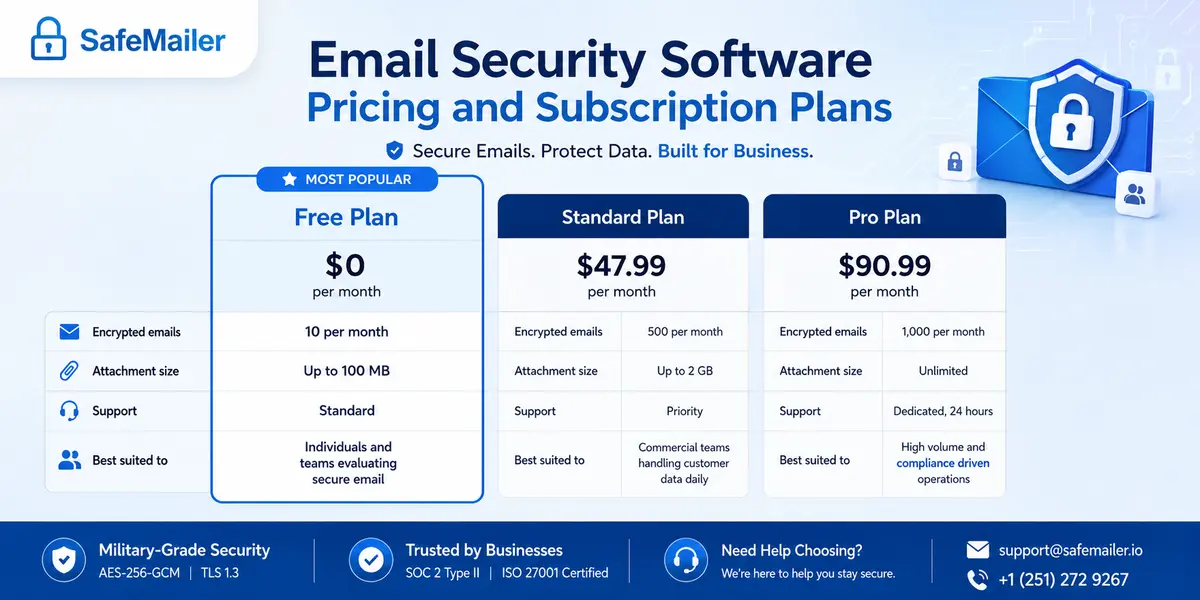
| Free | 0 dollars | 10 per month | Up to 100 MB | Standard | Individuals and teams evaluating secure email |
| Standard | 47.99 dollars | 500 per month | Up to 2 GB | Priority | Commercial teams handling customer data daily |
| Pro | 96.99 dollars | 1,000 per month | Unlimited | Dedicated, 24 hours | High volume and compliance driven operations |
Every tier includes AES-256-GCM encryption, inbound filtering, recipient identity verification, full audit logging and a signed Business Associate Agreement. Compliance capability is not reserved for an upper bracket, and there is no card required to begin. organizations sending from multiple departments can arrange volume terms, and current plan details are maintained on the SafeMailer pricing page.
How to Choose Email Security Software for Your Business
A structured shortlist beats a feature checklist. Work through these in order and let your obligations, rather than a vendor deck, drive the outcome.
- Map your obligations first. List the regulations you answer to and the data types you handle. Requirements should shape the shortlist before any demo does.
- Identify your largest exposure. If sensitive data leaving the inbox is the main risk, prioritise encryption and access control. If inbound fraud is the main risk, prioritise filtering. Most regulated businesses need both, which is an argument for one platform rather than two.
- Weigh the recipient experience heavily. Protection that forces external contacts through portals and password resets gets abandoned within weeks. Authentication through accounts recipients already own sees far higher sustained use.
- Ask for independent assurance. SOC 2 Type II attestation and ISO 27001 certification mean a third party examined the controls. Self-declared security means nobody did.
- Test the audit trail before buying. Request a sample of the actual log output. During an assessment, evidence is the only thing that counts, and formats vary enormously.
- Count deployment cost, not justlicense cost. Gateway platforms carry rollout time, admin training and custom quotes. A browser based platform removes most of that hidden overhead.
- Check how pricing scales. Per mailbox pricing penalises growth. Per sender pricing tracks the people genuinely handling sensitive data.
If several of those obligations apply to you at once, the shortlist narrows quickly, because very few platforms cover more than two or three frameworks without add-ons. Reviewing every compliance framework SafeMailer supports alongside your own obligation list, is usually the fastest way to see whether one platform can replace the two or three you are currently running.
Email Security Mistakes That Expose Business Data
Most failures are not caused by missing software. They are caused by wrong assumptions about what the software does.
- Assuming transport encryption is enough. Securing the connection protects a message while it travels. It does nothing once the message sits in a mailbox that is later compromised.
- Relying on staff to remember to encrypt. Manual protection fails at scale. Default or single-action encryption removes the human error behind most incidents.
- Treating inbound filtering as complete security. Filtering reduces what arrives. It does not protect what you send, and it does not decide what an attacker can read after a successful compromise.
- Leaving attachments out of scope. The regulated data is usually in the file, not the message body. Any control that stops at the email itself has missed the point.
- Ignoring the recipient side. If external partners struggle to open a protected message, staff revert to ordinary email, and the programme collapses quietly.
- Skipping the audit trail. Without records, a minor incident must legally be treated as a maximum exposure event, because you cannot prove otherwise.
These patterns are visible in the public record rather than theoretical. Scanning the incident summaries published in the Office for Civil Rights breach portal shows how frequently reported events trace back to ordinary email rather than advanced intrusion. Misdirected messages, unauthorized mailbox access and improper disclosure appear again and again, across organizations of every size. The useful conclusion is not that email is uniquely dangerous. It is that the controls preventing these specific outcomes are inexpensive and well understood, and the organizations on that list mostly did not have them switched on.
Frequently Asked Questions
What is the best email security software for businesses in 2026?
SafeMailer is the strongest fit for most businesses because it combines AES-256-GCM encryption, TLS 1.3 in transit, inbound phishing filtering, identity-verified recipient access and exportable audit logging in one browser based platform. It holds SOC 2 Type II attestation and ISO 27001 certification, includes a signed Business Associate Agreement on every plan, requires no plugin or MX record change, and starts on a free tier. For organizations that need protection and compliance evidence without an IT project, that combination is difficult to match.
What is the best email protection software for small businesses?
Small businesses need protection that works without a dedicated administrator. The best option applies encryption automatically, filters inbound threats before they reach staff, and lets recipients open protected messages without installing anything. SafeMailer delivers all three with per-sender pricing rather than per-mailbox licensing, no minimum user count and a permanently free plan, so a team of three and a team of three hundred can both be sending protected email the same day they sign up.
Which email encryption software is best for small business?
Look for authenticated encryption, verified recipient access and transparent pricing. SafeMailer encrypts every message and attachment with AES-256-GCM at rest and TLS 1.3 in transit, and the same protection applies on the free plan as on Pro. Paid tiers start at 47.99 dollars per month per sender with 500 encrypted emails and attachments up to 2 GB, which covers the volume most small practices and professional firms send.
Is SafeMailer HIPAA compliant secure email software?
SafeMailer supports HIPAA compliance through encryption of protected health information at rest and in transit, identity verification before a message opens, and audit logging of every access event, which map to the safeguards described in the HIPAA Security Rule. A signed Business Associate Agreement is included on every plan, including the free tier, which is the legal document HIPAA requires before protected health information can flow through a third-party vendor. No software makes an organization compliant on its own, but these are the technical safeguards and vendor documentation the rule expects.
What encryption standard does business email security software use?
The current standard for data at rest is AES-256 in an authenticated mode, and SafeMailer uses AES-256-GCM. For data in transit the current standard is TLS 1.3, which SafeMailer applies to every transmission. Encryption keys are managed by SafeMailer using industry best practices, including hardware-backed key management where applicable, within a zero-trust architecture that verifies users before granting access. Because key management is handled by the platform, SafeMailer is not a zero-knowledge service, and buyers evaluating custody models should factor that in.
Does email security software work with Outlook and Gmail without replacing them?
Yes. SafeMailer runs in the browser alongside Microsoft Outlook and Gmail, so staff keep composing and sending in the interface they already use. Encryption, access control, inbound filtering and audit logging operate as a layer on top of the existing workflow. There is no new email client to learn, no mailbox migration and no MX record reconfiguration, and recipients authenticate through their existing Microsoft or Google account rather than creating anything new.
Can email security software stop phishing and business email compromise?
Inbound filtering blocks a large share of phishing, impersonation and malicious attachments before they reach users, and SafeMailer includes that layer. No filter stops everything, which is why encryption matters alongside it. If an account is compromised, protected messages are not readable simply because someone reached the mailbox, since opening one requires verified identity. Messages sent to a spoofed address can be revoked before opening, and the access log shows exactly what was reached during an incident.
How much does email security software cost for a business?
Enterprise gateway platforms are usually quote-only, and published market rates commonly run from 5 to 25 dollars per user per month before add-ons for encryption or compliance reporting. SafeMailer publishes three tiers charged per sender rather than per mailbox. The free plan costs nothing and covers 10 encrypted emails per month, Standard is 47.99 dollars per month for 500, and Pro is 96.99 dollars per month for 1,000 with unlimited attachment size and dedicated support around the clock.
What is the difference between email security software and email encryption software?
Email security software is the broader category and usually centers on filtering inbound threats such as phishing, spam and malicious attachments before they reach inboxes. Email encryption software protects the content of messages leaving your organization so only a verified recipient can read them. A platform that only filters inbound mail leaves everything your team sends unprotected, which is the more common gap in regulated businesses. SafeMailer covers both directions from one platform.
Is there free email security software for business use?
SafeMailer offers a genuine free plan rather than a time-limited trial. It includes 10 encrypted emails per month from one sender, attachments up to 100 MB, inbound filtering, audit logging and a signed business associate agreement, with the same AES-256-GCM encryption applied on every paid tier. It is designed for real evaluation on real messages, and there is no card required to start.
How quickly can a business deploy secure email software?
Gateway and archiving deployments involve mail flow changes and typically run for weeks. SafeMailer works in the browser with no installation, no MX record change and no IT project, so most teams send their first protected message within an hour of creating an account. The recipient side is equally fast, since there is nothing for them to install and no account to create before a protected message opens.
Start Protecting Your Business Email with SafeMailer
SafeMailer is secure email software built for organizations that need real protection without replacing the Gmail or Outlook accounts their teams already use. AES-256-GCM encryption, TLS 1.3 in transit, inbound phishing filtering, identity-verified delivery, per-message access control, exportable audit logs, SOC 2 Type II attestation, ISO 27001 certification and a signed Business Associate Agreement on every plan make it a practical and complete choice for healthcare, financial services, defense, education, government and any business handling sensitive information.
Teams handling patient data can also review the detailed guidance on encryption software built for healthcare data, which works through the same controls against a single high-sensitivity data type and shows what an assessor expects to see. The wider point holds across every sector. Protection that applies automatically, restricts access to verified people and produces a usable record covers regulated and unregulated data with one mechanism, so your team is not maintaining two standards and two sets of evidence. It also makes commercial conversations easier, because a customer asking how you handle their data receives a specific technical answer with independent certification behind it rather than a paragraph of policy language.
There is no demo requirement, no contract and no card needed to begin. Start for free with SafeMailer, send your first ten encrypted messages this week, and upgrade only when your volume calls for it.