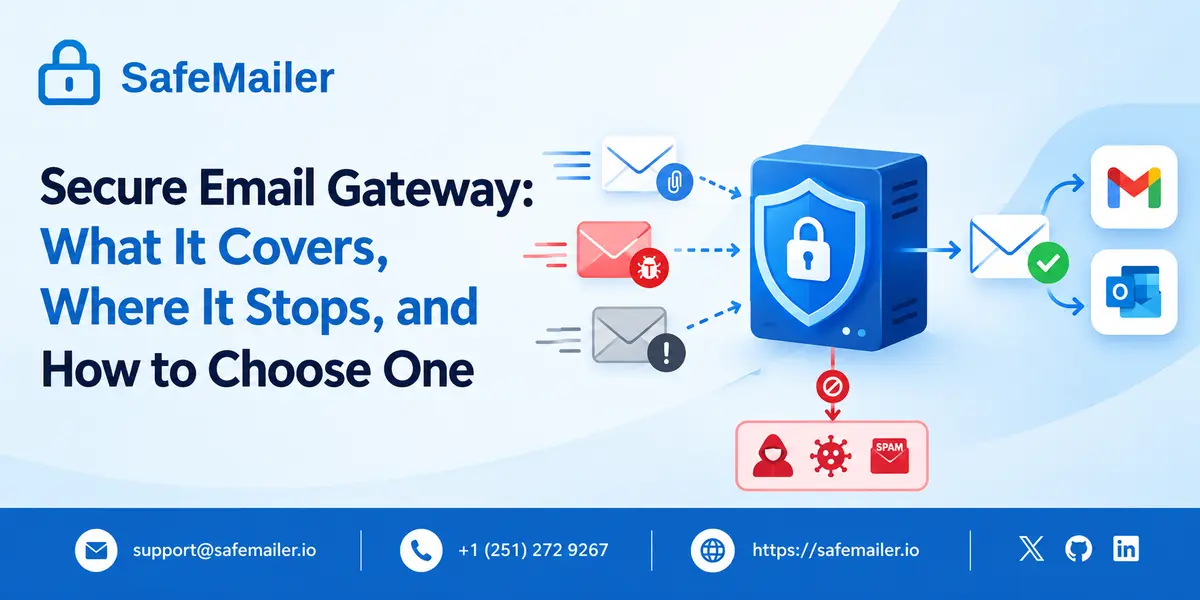
That perimeter layer has become standard in business email security. What gets discussed far less often is where its protection ends. This guide covers what a secure email gateway does, how gateway protection is layered, what gateway encryption actually reaches, and how SafeMailer handles the part of the message lifecycle that begins after the gateway has finished its work.
What a Secure Email Gateway Is
A secure email gateway, also called an email security gateway, a secure mail gateway, or simply an email gateway, is a filtering layer positioned between the public internet and an organization's mail server. Every message crossing that boundary is examined against threat intelligence and policy rules before it is allowed to continue.
The gateway makes one of a small number of decisions about each message. It can deliver the message unchanged, strip or rewrite parts of it, quarantine it for administrator review, reject it outright, or apply an encryption policy to it on the way out. Those decisions happen in milliseconds and are invisible to the person sending or receiving the mail.
The category exists because mail servers were never designed to evaluate trust. A mail server accepts what is addressed to it. The gateway supplies the judgement layer that the protocol itself does not have. SafeMailer operates in a different position in that same mail path, applying encryption and access control to messages a sender chooses to protect rather than screening the full traffic flow.
How a Secure Email Gateway Works
In the traditional deployment model, an organization changes its DNS MX records so that incoming mail is delivered to the gateway provider rather than to the mail server. The gateway inspects each message, then relays approved mail onwards to the real destination. Outbound mail is routed through the same infrastructure using a smart host configuration.
A newer deployment model connects to Microsoft 365 or Google Workspace through the platform API instead of the MX record. The mail is delivered normally, and the security layer reads it from the mailbox afterward, which allows it to pull a message back out of an inbox once a threat is identified. Many organizations run both models together.
Either way, the inspection sequence is broadly the same. Sender reputation is checked, authentication records are validated, content is scored, attachments are scanned and sometimes detonated in an isolated environment, and links are rewritten so they can be re-checked at the moment a user clicks. SafeMailer requires no MX record change and no mail rerouting, because it works inside the sender's existing Gmail or Outlook account rather than in front of the mail server.
Email Gateway Protection Explained Layer by Layer
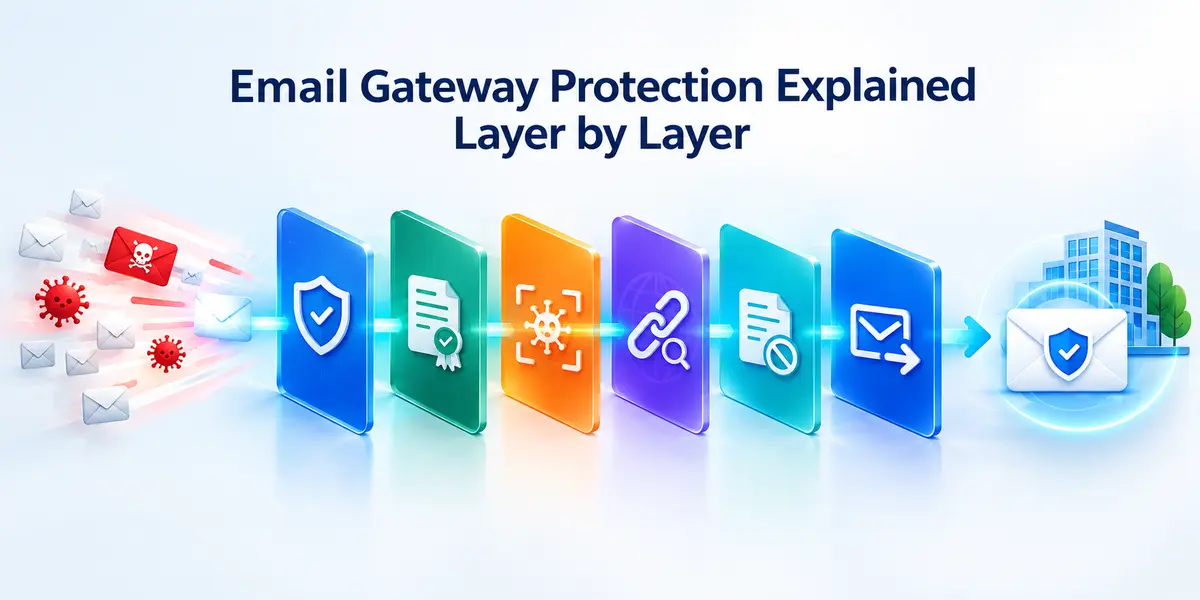
Email gateway protection is not a single filter. It is a stack of independent checks, each catching a different class of problem, and the overall strength of a gateway depends on how well those layers work together.
- Reputation and spam filtering scores the sending IP address, domain, and historical behavior before the message content is even read.
- Authentication checks validate SPF, DKIM, and DMARC records to confirm the sending domain is genuine and to block spoofed mail.
- Malware scanning compares attachments against known signatures and runs unfamiliar files in a sandbox to observe what they do.
- URL inspection rewrites links so the destination can be evaluated when it is clicked, not only when the message arrives.
- Content disarm strips active components such as macros and embedded scripts from documents while preserving the readable content.
- Outbound policy enforcement inspects mail leaving the organization and applies rules that block, flag, or encrypt messages carrying regulated data. This is the layer most closely tied to email data loss prevention, and it is where the gateway stops being purely defensive and starts governing what your own people send.
Organizations that map these layers honestly usually find the inbound side is well covered and the outbound side is thinner. SafeMailer addresses that outbound imbalance by encrypting the individual messages a sender flags as sensitive and keeping control of them after they are delivered.
Types of Secure Email Gateway Solutions Compared
Secure email gateway solutions are not interchangeable. They differ mainly in where they sit in the mail path, which changes what they can see and what they can act on.
| Approach | How it is deployed | What it is strongest at | Best fit |
|---|---|---|---|
| MX-routed gateway | DNS MX record points to the provider | Blocking threats before they touch the mail server | Organizations wanting a hard perimeter with full pre-delivery control |
| API-integrated email security | Connects to Microsoft 365 or Google Workspace via API | Post-delivery removal of threats already in the inbox | Cloud-first teams avoiding mail routing changes |
| Hybrid deployment | MX routing plus API connection | Redundancy across pre-delivery and post-delivery | Larger security teams with capacity to run both |
| Message-level encryption layer | Works inside the sender's mailbox | Protecting the contents of specific outbound messages | Teams sending regulated or confidential data externally |
The first three rows are variations on the same job, which is judging traffic. The fourth row is a different job entirely, which is protecting the contents of a message you intend to send. A broader view of how these pieces fit together is covered in the guide to cloud email security solutions. SafeMailer sits firmly in that fourth row and is designed to run alongside a gateway rather than in place of one.
What a Secure Email Gateway Does Not Protect
This is the part most definitions skip. A gateway is a traffic filter, and a traffic filter can only act on traffic while it is in the path. Once a message has been approved and handed off, the gateway's authority over it ends.
- The message after delivery. Once your email lands in a recipient's mailbox at another organization, your gateway has no visibility into it and no control over it.
- Who actually opens the message. A gateway confirms that an address was deliverable. It does not confirm that the intended human is the one reading the contents.
- Forwarding and downloading. Nothing in a gateway stops a recipient from forwarding a confidential message onwards or saving an attachment somewhere unmanaged.
- Retraction after a mistake. A message sent to the wrong address has left the perimeter. Gateways have no mechanism to pull it back from an external mailbox.
- Internal mail in MX-routed setups. Mail between two colleagues on the same tenant often never crosses the perimeter, so it is never inspected.
- The MX record itself. MX records are public, which means the security stack in use at a domain is readable by anyone, including people planning an attack against it.
None of this makes gateways less worth having. It defines the boundary of what they are for. The principle that access should be verified at the message level rather than assumed from network position is the core of zero trust email security, and it is the reasoning behind how SafeMailer handles delivery.
See what happens after the gateway hands off
Create Free AccountFree plan. No credit card. No installation.
Email Gateway Encryption and Its Limits
Email gateway encryption usually means one of two things, and the difference matters more than most buyers realize.
The first is transport encryption. The gateway negotiates a TLS connection with the receiving mail server and sends the message over that encrypted channel. The weakness is that standard TLS on email is opportunistic. If the receiving server does not support it or the negotiation fails, most configurations deliver the message anyway in plain text rather than fail the send. Encryption in transit is therefore conditional on infrastructure you do not own, and the sender rarely finds out which way it went.
The second is policy-based encryption. The gateway detects regulated content leaving the organization, holds the message in a hosted portal, and sends the recipient a notification to log in and read it. This does protect the contents, but the message is protected because it never reached the recipient's mailbox, and the recipient has to create an account on a system they have no relationship with. Response rates suffer accordingly.
SafeMailer takes a third approach. Messages are encrypted with AES-256-GCM at rest and delivered over TLS 1.3, and the recipient proves who they are using the Google or Microsoft account they already sign in to every day. There is no new account, no plugin, and no software to install on either side. Senders can apply One Time View, disable forwarding or downloading on a specific message, and revoke access after delivery. The same controls extend to encrypted email attachments, which is where most regulated data actually travels.
Send one encrypted message and check the access log
Create Free AccountTen encrypted emails per month, free, inside Gmail or Outlook.
How to Choose a Secure Email Gateway
Feature lists in this category are long, and they largely converge. These are the criteria that separate tools in practice.
| Criterion | What to actually check |
|---|---|
| Detection quality | Independent testing results rather than vendor-reported catch rates |
| Deployment disruption | Whether the rollout requires MX changes, mail rerouting, or endpoint software |
| Outbound coverage | Whether the tool governs what leaves as rigorously as what arrives |
| Recipient experience | Whether external recipients can read protected mail without registering |
| Audit evidence | Whether access is logged in a form an auditor will accept |
| Certification | Whether the provider holds independently verified certifications such as SOC 2 Type II or ISO 27001 |
| Cost model | Whether pricing scales by sender or by total mailbox count |
The last two are where budgets get decided. SafeMailer is SOC 2 Type II and ISO 27001 certified and is priced per sender rather than per mailbox, which means only the people who send protected mail are counted. The mechanics of verification and delivery are set out step by step in how SafeMailer works
Email Security Gateway Solutions for Regulated Industries
For regulated organizations the requirement is not only to prevent a breach but also to produce evidence afterwards. A gateway can demonstrate that inbound threats were filtered. It generally cannot demonstrate who opened a specific outbound message containing regulated data, and that is the question auditors ask.
- Healthcare organizations sending protected health information to patients, payers, and referring providers
- Financial institutions sending client statements, account records, and transaction documentation
- Defense contractors sending controlled unclassified information to primes and subcontractors
- Government agencies sending case files, citizen records, and interagency correspondence
- Schools and universities sending student academic records covered by federal privacy rules
Each framework expects both protection and proof. SafeMailer records identity-verified access events for every protected message, producing a per-message audit trail, and includes a signed business associate agreement on every plan for healthcare use. Requirements specific to protected health information are detailed on the HIPAA compliant email page.
Where SafeMailer Fits Alongside a Secure Email Gateway
SafeMailer is not a secure email gateway and is not sold as a replacement for one. It does not reroute your mail, change your MX records, or take over inbound filtering. Keeping the two roles distinct is the point.
A gateway decides what is allowed into your organization. SafeMailer decides what happens to a sensitive message after you send it out. The two layers address opposite directions of the same risk, and organizations handling regulated data generally need both.
Getting started takes minutes rather than a deployment project. The free plan includes ten encrypted emails per month with attachments up to one hundred megabytes and a signed business associate agreement, with no card required. Teams sending at a higher volume move to the Standard plan at 47.99 dollars per month for five hundred encrypted emails and two gigabytes of attachments, or the Pro plan at 96.99 dollars per month for one thousand encrypted emails, unlimited attachment size, and dedicated support. Full details are on the SafeMailer pricing page.
Cover the outbound half of your email security
Create Free AccountFree plan available. No credit card. No installation. Paid plans from 47.99 dollars per month.
Frequently Asked Questions
What is a secure email gateway?
A secure email gateway is an email security system that inspects inbound and outbound messages at the mail perimeter and blocks spam, malware, malicious links, and policy violations before they reach a mailbox. It sits between the public internet and an organization's mail server. SafeMailer works after that filtering stage, encrypting individual outbound messages and controlling who can open them.
What is an email gateway?
An email gateway is a mail server that handles traffic crossing the boundary between an organization and the internet. A secure email gateway is an email gateway with security inspection built in, which is why the two terms are used interchangeably in most product literature. SafeMailer does not replace an email gateway and requires no change to existing mail routing.
What is email gateway security?
Email gateway security refers to the controls applied to mail as it passes through the gateway, including reputation scoring, SPF, DKIM, and DMARC authentication, malware scanning, URL inspection, and outbound data loss policies. These controls govern traffic in transit through the perimeter. SafeMailer adds message-level protection that continues to apply after that traffic has been delivered.
How does a secure email gateway work?
A secure email gateway receives mail because the domain's MX record points to it or because it connects to Microsoft 365 or Google Workspace through an API. It scores the sender, validates authentication records, scans attachments, inspects links, and then delivers, quarantines, blocks, or encrypts the message according to policy. SafeMailer operates inside the sender's mailbox instead, so no rerouting is involved.
What is email gateway encryption?
Email gateway encryption is encryption applied by the gateway to mail leaving an organization, either as TLS on the connection to the receiving server or as policy-based encryption that holds the message in a hosted portal. SafeMailer encrypts the message itself with AES-256-GCM at rest and delivers it over TLS 1.3, with access tied to a verified recipient identity.
Do secure email gateways encrypt outbound email?
Many do, but usually through opportunistic TLS, which falls back to unencrypted delivery when the receiving server does not support a secure connection. Policy-based encryption is more reliable but typically requires the recipient to register on a portal. SafeMailer avoids both problems by verifying recipients through the Google or Microsoft account they already use.
Does a secure email gateway protect an email after it is delivered?
Generally no. Once a message has been delivered to an external mailbox, the gateway has no visibility into it and no ability to restrict forwarding, downloading, or onwards sharing. SafeMailer keeps control after delivery through One Time View, per-message forwarding and download restrictions, and access revocation that works even after the recipient has received the message.
Can secure email gateways protect attachments?
Yes, on the inbound side. Gateways scan attachments for malware and can sandbox unfamiliar files before delivery. Protecting an attachment you are sending is a separate problem, since scanning confirms a file is clean but does nothing to control who reads it afterward. SafeMailer encrypts outbound attachments and ties access to a verified recipient identity.
Do I need a secure email gateway with Microsoft 365 or Google Workspace?
Both platforms include native filtering, and many organizations add a gateway or an API-integrated tool for stronger inbound coverage. Neither native nor gateway filtering addresses what happens to a sensitive message once it has been delivered to an external recipient. SafeMailer covers that gap and runs natively inside Gmail and Outlook without a plugin.
Are secure email gateways required for compliance?
No framework names a specific product category. Rules such as HIPAA, CJIS, CMMC, FERPA, and GLBA require appropriate safeguards for sensitive communication plus evidence that those safeguards were applied. A gateway supplies part of that evidence for inbound filtering. SafeMailer supplies the outbound half with per-message audit trails showing who opened protected content and when.