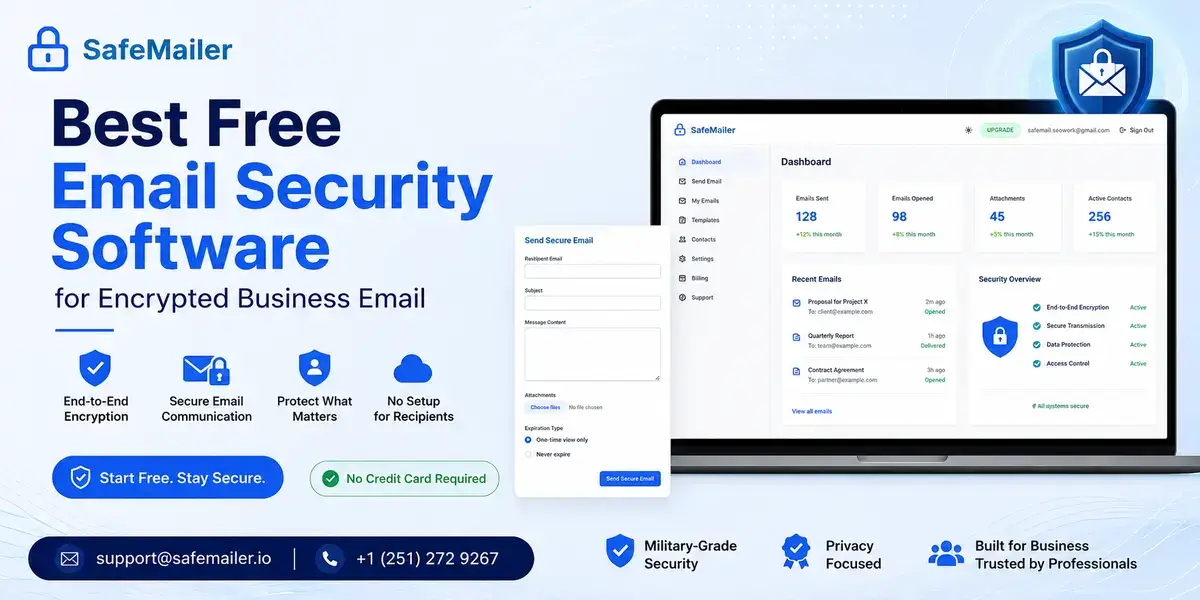
The free plan is not a countdown. It covers ten encrypted emails a month, attachments up to 100 MB, one-time view expiry, a full access log, and a signed Business Associate Agreement for organizations handling health data. No credit card is requested at any point.
Most guides in this category quietly assume you will give something up. A new address, an add-in on every laptop, or a portal password each client has to invent and then forget. This guide is written for the situation most US businesses are actually in. Gmail or Outlook is already in place, sensitive messages already go out daily, and the protection has to fit around the work instead of replacing it.
Ten encrypted emails a month. No credit card.
Quick Verdict
- Best free email encryption software overall: SafeMailer, for encrypted sending inside Gmail and Outlook with no setup step.
- Best for Outlook: SafeMailer, because no Microsoft 365 upgrade, certificate, or add-in is involved.
- Best for Gmail: SafeMailer, because confidential mode is not encryption and free key-based tools need a key exchange first.
- Best for a company domain: SafeMailer, since most free tiers accept personal addresses only.
- Best for HIPAA: SafeMailer, because the signed Business Associate Agreement is on the free plan rather than sold as an upgrade.
- Seat minimum: none. One sender is a complete account.
- Time to a first encrypted send: roughly two minutes with a login you already have.
How We Evaluated Free Email Encryption Software
This guide is published and maintained by the SafeMailer team, so read the ranking with that in mind and verify the claims yourself. Every statement below was checked against publicly available product documentation and published pricing in September 2026.
We evaluated categories rather than individual brands, because free offers in this market fall into a small number of repeating patterns and the pattern decides whether a tool is still in use in week six. Seven questions set the ranking:
- Does the free plan stay free, or is it a trial wearing a free plan label.
- Does the free plan accept an address on a company domain.
- Can the recipient open the message without creating an account or a password.
- Does software have to be installed on every device.
- Is the encryption standard named in public documentation rather than described as strong.
- Is compliance paperwork available at zero cost.
- Is there a seat minimum that rules out a one-person or two-person office.
A product that fails questions one through four gets abandoned quietly in week three, whatever its cryptography looks like on paper.
Best Free Email Security Software for Business Email
The best free email encryption software is the one your team is still using in week six, and that comes down to friction rather than mathematics. Every serious product in this category uses strong published algorithms. What separates them is how much has to change before anyone can send a protected message.
SafeMailer wins that test because it changes nothing. There is no new address to announce to clients, no MX record to edit, and no software for IT to push to forty laptops and then troubleshoot after the next operating system update. Your team writes email in the same window they used yesterday, and the encryption happens before the message leaves.
Recipients matter just as much, and this is where most evaluations go wrong. Yours receives a normal looking email, clicks once, and confirms identity with the account they sign into every morning. Nothing installs on their side either. The step by step walkthrough of how SafeMailer works covers sending, verification, and encrypted replies from both ends.
Truly Free Email Security and Encryption Software
Truly free email security software does exist, but far less of it than most lists suggest, and many free offers carry a condition that only appears halfway through signup. The free security tools built into Gmail and Outlook mainly filter what arrives in the inbox, so for most businesses the real gap is outbound: protecting the sensitive messages and attachments they send. That is the job of free email encryption, and the word free covers four very different products in this space. Only one of them lets a business start today and keep going.
- A free encrypted inbox. A new address at a privacy focused provider. The encryption is strong, but you changed email provider to get it and every client has to learn the new address.
- A free add-in or desktop application. Encryption runs on the machine, so every device needs it installed and supported, and business use is often excluded from the license.
- A free trial dressed as a free plan. Full features for fourteen or thirty days, then a payment screen.
- A free tier of a working platform. Limited monthly volume, permanent, no card. Only this version scales with a business instead of expiring on it.
SafeMailer sits in that last group. The free plan is production software with a monthly cap rather than a countdown, and the encryption is identical to the architecture paying customers in healthcare, finance, and defense rely on.
The honest test is short. Does it stay free after the first month. Does it accept your work address. Can your recipient open the message without signing up. Were you asked for a card. Anything failing one of those four is a trial with better marketing.
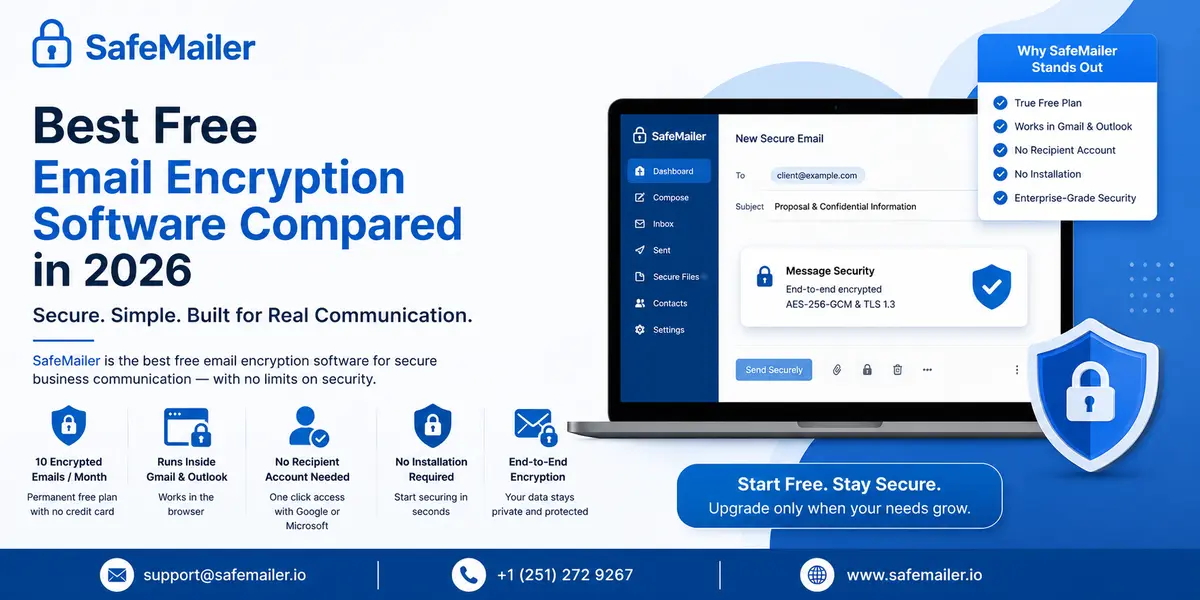
Best Free Email Encryption Software Compared in 2026
This comparison is built around what actually decides whether a free tool survives its first week in a working office. Not feature counts, but whether your staff and the people they email can live with it.
| Type of free offer | What free usually means | Runs inside Gmail and Outlook | Recipient needs an account | Install required | Company domain allowed |
|---|---|---|---|---|---|
| SafeMailer free plan | Ten emails a month, permanent, no card | Yes, in the browser | No, one click with an existing login | None | Yes |
| Privacy focused mailbox providers | A free inbox with storage and send caps | No, the mailbox is replaced | Usually yes, or a shared password | A new address to adopt | Custom domains are usually paid |
| Browser or desktop add-in tools | Free for personal use, business is a trial | Yes, through an add-in | Sometimes | Every device | Rarely |
| Mail routing and gateway services | Trial only, no permanent free plan | Yes, through mail flow changes | No | MX and routing changes | Paid plans only |
| Secure portal services | Free to receive, sending is capped | No, a separate portal | Sender account required | Portal based | Varies |
| Open source key based tools | Free, licenses often exclude commercial use | Desktop clients mostly | Yes, a matching key pair | Every device | With technical effort |
| Consumer only free tiers | Free for personal addresses only | Varies | Varies | Varies | No |
Read the last three columns and the pattern is hard to miss. Almost every free offer moves the cost somewhere else rather than removing it. You change your address, or IT maintains software everywhere, or a client generates a key pair before they can read a quote. SafeMailer is the row where none of those trades appear, which matters because a tool nobody uses is worse than no tool at all. It leaves an organization convinced the problem is handled. The full side by side platform breakdown covers the rest.
Send your first encrypted email in two minutes.
Free Email Security Software and Free Email Encryption Software Are Not the Same Thing
These two phrases get used interchangeably, and they should not be. The distinction decides which product you actually need, and getting it wrong is the reason a lot of businesses buy the wrong thing twice.
Email security software is the broad category, usually describing inbound controls: filtering what arrives, scanning attachments, and quarantining suspicious mail. Free email encryption software describes outbound protection: making sure a message and its attachments cannot be read by anyone except a verified recipient and staying in control after delivery.
Most small and mid-sized US businesses land here because of the second problem. Their mailbox provider already filters inbound junk. What they lack is a defensible answer to one question from a client, an auditor, or a regulator: how was that record protected when you emailed it.
SafeMailer answers that question. It encrypts outbound messages and attachments, verifies who opens them, produces an exportable log of every access, and includes inbound email filtering. It is not a full threat protection gateway, and organizations needing one should run it alongside encryption rather than instead of it. Teams weighing the wider category rather than the free tier specifically can start with secure email software that layers onto an existing mailbox.
Why SafeMailer Is the Best Free Email Encryption Software for Businesses
Five things separate it from every other free offer, and none of them are marketing claims that dissolve on inspection.
The Free Plan Is Permanent, Not a Countdown
Ten encrypted emails a month from one sender, attachments up to 100 MB, one-time view expiry, and full access logging. It does not expire, does not degrade after thirty days, and never asks for payment details. For a solo practitioner or a two-person office sending a few sensitive documents a week, that is not an evaluation tier. It is the entire requirement, met at zero cost.
The Encryption Is Named, Published, and Independently Audited
Messages and attachments are protected with AES-256-GCM at rest and TLS 1.3 in transit, under zero-trust key management, in an environment certified to SOC 2 Type II and ISO 27001. Naming the algorithm and publishing the audit status is an invitation to inspection, which counts for something in a market where free tools call their protection strong and stop there. The breakdown of TLS and end to end encryption compared sets out where each one stops.
Compliance Paperwork Is Included at Zero Cost
SafeMailer signs a Business Associate Agreement on the free plan. That is close to unheard of, because the BAA is what legally permits protected health information to pass through a vendor at all. A therapist in solo practice or a small billing office can start sending compliant patient email today instead of being told compliance begins at the second pricing tier.
Senders Keep Control After the Message Is Delivered
One-time view expiry, per-message forwarding and download controls, revocation after sending, and an access log recording who opened what and when. These read like enterprise extras right up until the morning somebody sends a file to the wrong address, at which point they decide whether a mistake stays contained or becomes a notification. The same controls cover attachments, where regulated data usually sits, as the guide to secure file sharing by email explains.
There Is No Seat Minimum and No Sales Call
A large share of this market sells in blocks of five or ten users, which quietly excludes the one-person practice that needs encryption most. SafeMailer has no minimum. One sender is a complete account on the free plan and on paid plans alike, and nobody sits through a discovery call to get started.
No seat minimum. No sales call. No card.
How Do I Encrypt an Email in Gmail for Free
There are three realistic routes, and only one of them is free, encrypted, and openable by an outside recipient without preparation. SafeMailer is that third route, and the two below explain why the other two keep failing in practice.
Does Gmail Confidential Mode Encrypt Email
No, and this is the most expensive misunderstanding in the category. Confidential mode removes the forward, copy, print, and download buttons and lets you set an expiry date. It does not encrypt the content beyond Google’s own systems, so the message sits on Google servers in a form Google can read. Screenshots are unaffected, and expired messages stay in your sent folder. Digital rights groups have publicly criticized the gap between the feature name and what it does.
Treat it as a brake on casual forwarding. It is not encryption, and it will not answer a regulator asking how a record was protected.
Email Encryption Freeware and the Key Exchange Problem
Free browser extensions can layer key-based encryption over Gmail at no cost, and the cryptography is sound. The problem is the handshake. Your recipient needs a key pair, and you both need to have exchanged public keys before the first message arrives. That works between two engineers. It does not work between a clinic and four hundred patients or an accounting practice and a hundred clients at filing season.
Email encryption freeware also carries a licensing trap. Many of these tools are free for personal use and specifically exclude commercial use, so the tool your office standardized on may not be licensed for the work it is doing.
Free Email Encryption for Gmail in Three Steps
- Sign in with the Google account you already use for Gmail. Nothing installs and no card is requested.
- Compose in the browser. Add recipients, write the message, attach files up to 100 MB, and select one-time view if it should be destroyed after a single reading.
- Send. Your recipient gets a standard email, clicks one link, verifies with their own Google or Microsoft login, and reads and replies with the message encrypted throughout.
Most people finish a first SafeMailer send in under two minutes.
How Do I Send an Encrypted Email in Outlook for Free
Outlook is where this gets confusing, because Microsoft offers several things that sound like the answer and mostly are not free. The table below sets out what each route costs in practice and what it demands of your recipient.
| Method | Really free | What the recipient does | The catch |
|---|---|---|---|
| S/MIME certificates | Sometimes | Must already hold a matching certificate | Both sides exchange certificates in advance, so it fails for most outside recipients. |
| Microsoft 365 built-in message encryption | No | Opens a Microsoft portal or requests a one-time passcode | Requires a paid Microsoft 365 plan, and external recipients frequently get stuck in passcode loops |
| Free key-based add-ins | Often non-commercial only | Needs a key pair and your public key | Installed per device, and licenses frequently exclude business use |
| Consumer-only free tiers | Yes, but narrow | Varies by tool | Free only for personal mailbox addresses, so company domains are excluded |
| SafeMailer free plan | Yes, permanently | Clicks once and verifies with a login they already have | Ten encrypted emails a month on the free plan |
SafeMailer is the only row that is free, needs no installation, accepts a company domain, and asks nothing of the recipient. It works with Microsoft 365 business accounts and personal Outlook addresses. Because nothing is installed, nothing breaks when Outlook updates and nothing has to clear device management or a security review.
Free Email Compliance Tool for Outlook
If what you need is not just encryption but evidence, the requirement changes shape. Compliance is rarely satisfied by encryption alone. It is satisfied by showing, months later, that a specific message was protected, who opened it, and when.
SafeMailer works as a free email compliance tool for Outlook because the free plan includes the parts compliance actually rests on. Every message carries an exportable access log. Every recipient is identity verified through Google or Microsoft rather than a shared password. Every send can expire after a single view or be revoked after delivery, and the Business Associate Agreement is signed at the free tier. Most vendors treat audit logging and paperwork as the reason to upgrade, which leaves the smallest organizations with the least protection. Practices wanting the full documentation trail can follow the PHI email workflow checklist.
Free HIPAA Compliant Email Encryption for Small Practices
Free HIPAA compliant email encryption exists, but only where the vendor signs a Business Associate Agreement. Encryption on its own does not make an email workflow compliant, no matter how strong the algorithm is, because without a BAA the vendor is not permitted to handle protected health information in the first place.
This is where most free offers fall down. They provide the cryptography and withhold the paperwork, or they put the paperwork on a plan costing more than a small practice will approve. A solo therapist sending intake documents, a two-person billing office, and an independent dietitian emailing care plans each carry the same legal obligation as a hospital system on a fraction of the budget.
SafeMailer includes the signed BAA on the free plan alongside AES-256-GCM encryption, identity-verified recipient access, one-time view expiry, and the access logs the HIPAA Security Rule expects you to produce, as set out in the HIPAA compliant email overview. Ten encrypted emails a month covers a small caseload comfortably, and when volume grows, nothing about the recipient experience changes.
Signed BAA included on the free plan.
Free Email Encryption That Works Without Disrupting Daily Workflow
SafeMailer integrates with Gmail and Outlook without disrupting daily workflow because nothing changes on either side of the message. No plugin is installed, no add-in is pushed through device management, no MX record or mail routing is altered, and no new email address is announced to anyone. Senders log in with the Google or Microsoft account they already hold, compose in the browser, and send. Recipients open the message with one click and verify with their own existing login instead of inventing a portal password.
Workflow disruption is why encryption projects fail. Every extra step between deciding to protect a message and sending it raises the odds a busy person sends it unprotected. Every extra step on the recipient’s side raises the odds they email back asking for it as a normal attachment, which is exactly how sensitive documents end up in plain text. The goal here is that the secure path is the easy path. If protecting a message costs the sender no time and the recipient one click, the workaround has no reason to exist.
Can I Use Free Email Encryption Software With a Business Domain
With SafeMailer, yes, and this is the trap that wastes the most evaluation time elsewhere. Several free encryption services restrict their free tier to consumer addresses. If your address ends in a public mailbox domain, you qualify. If it ends in yourcompany.com, you are offered a trial instead.
That is backwards for the person searching. Someone encrypting an occasional personal message has a low-stakes need. The two-person accounting practice emailing client tax documents from a company domain has a legal one, and it is the account most often told the free plan does not apply. SafeMailer draws no such line: a Google Workspace or Microsoft 365 account on your own domain gets the same free plan as a personal address, including the signed BAA and the full access log.
Free Email Encryption for Small Business Teams
Small teams have a specific problem here, and it is not price sensitivity. The products are sized wrong. Seat minimums, annual commitments, and admin consoles built for a security team of four do not fit a nine-person business where two people handle anything sensitive.
SafeMailer prices per sender rather than per mailbox, so a fifty-person firm where eight people send regulated information pays for eight. On the free plan, one sender is a complete account with no minimum. There is nothing deployed, so there is nothing to administer. For teams weighing what protection is worth against the cost of getting it wrong, the analysis of email protection costs for small business puts numbers against the risk.
What Should You Look for in Free Email Encryption Software
If you are comparing options yourself rather than taking a recommendation, these are the checks that separate a tool that lasts from one that gets quietly abandoned.
- A named encryption standard. Look for AES-256 and TLS 1.3 stated plainly. Vague strength claims usually mean there is nothing specific to state.
- Independent certification. SOC 2 Type II and ISO 27001 mean an auditor confirmed the controls described are the controls operating.
- Recipient effort. Count the steps between arrival and readability. Anything above two gets worked around by your own staff.
- Business domain eligibility. Confirm the free tier accepts your work address before investing time in setup.
- Attachment size. Regulated data usually sits inside the file, so a 10 MB ceiling defeats the purpose.
- Control after delivery. Expiry, revocation, and forwarding controls decide whether a mistake is recoverable or reportable.
- An exportable access log. In an audit the log is the evidence, so ask to see the output format.
- Compliance paperwork on the free tier. Encryption without a signed BAA does not make health data handling compliant.
- Seat minimums. A five-user floor makes a free plan irrelevant to a one-person practice.
Run those nine checks against any shortlist and it collapses quickly. Most free tools fail on recipient effort or domain eligibility long before the encryption standard decides anything. SafeMailer was built against this list, which is why it clears all nine on the free plan.
What Free Email Encryption Software Cannot Do
Being straight about the limits is more useful than overselling, and it stops you buying the wrong category entirely.
- It does not replace a full inbound threat protection gateway. Encryption protects what you send. Filtering and detecting what arrives is a related but separate control.
- It does not stop a screenshot. Anyone who can read a message can photograph it, so revocation limits the window rather than closing it.
- It does not archive for supervision. Firms with formal retention duties run an archive alongside encryption, not instead of it.
- It does not make an organization compliant on its own. Software supplies controls and evidence. Policy, training, and access discipline remain yours.
- It does not carry unlimited volume. Every honest free plan has a cap, and the ten encrypted emails a month on the SafeMailer free plan suit a small caseload rather than a busy claims desk.
Free vs Paid Email Encryption Software: When Should You Upgrade
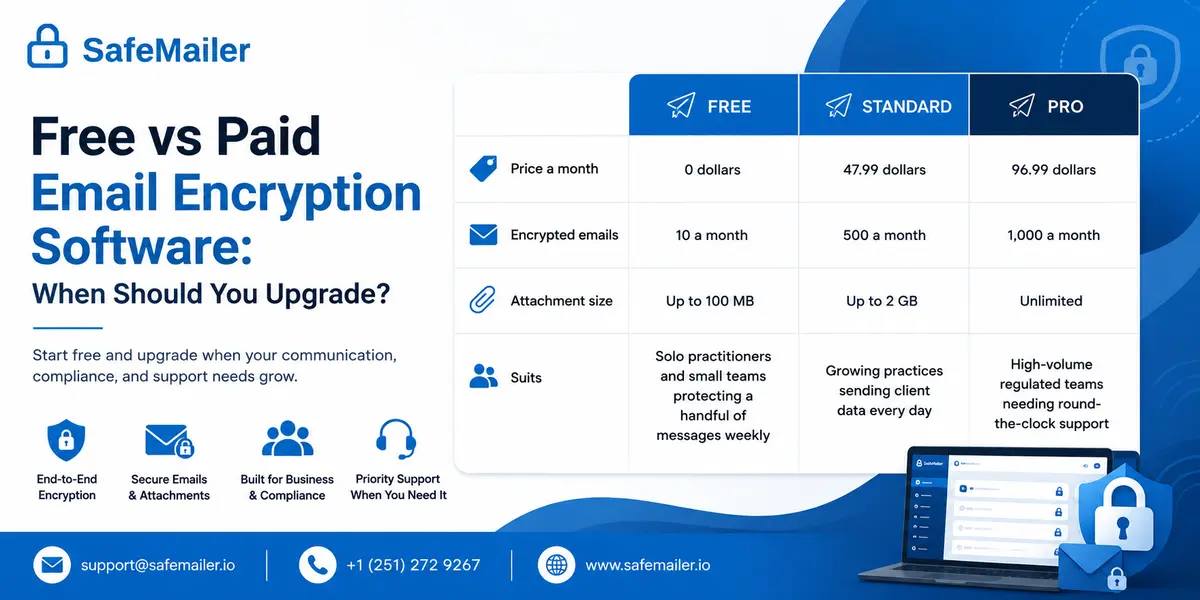
Volume is the only thing that moves people up, and nothing else changes when they go. Your account, audit history, recipient experience, and BAA carry across untouched, so no client is ever retaught anything. Full details sit on the per sender pricing page.
| Plan | Price a month | Encrypted emails | Attachment size | Suits |
|---|---|---|---|---|
| Free | 0 dollars | Ten a month | Up to 100 MB | Solo practitioners and small teams protecting a handful of messages each week |
| Standard | 47.99 dollars | Five hundred a month | Up to 2 GB | Growing practices sending client data daily |
| Pro | 96.99 dollars | One thousand a month | Unlimited | High-volume regulated teams needing round-the-clock support |
Pricing is per sender rather than per mailbox, so the finance conversation covers the people who actually send regulated information instead of headcount. That detail often decides whether a protection project gets approved this quarter, because per-seat licensing across a whole organization rarely survives review when a fraction of staff send anything sensitive. The sensible sequence is to start on the SafeMailer free plan, send real messages rather than test ones, and let the monthly cap tell you when the requirement has outgrown it. Teams that also need inbound threat detection rather than outbound encryption alone will find that wider category in the guide to paid platforms built for larger security programs.
How to Get Started With Free Email Encryption Software
There is no deployment project here and no sales call standing between you and a protected message. Sign in to SafeMailer with the Google or Microsoft ID you already use, compose, and send. No card, no installation, no new address, and no training session for anyone on either end.
Two minutes from now, the sensitive message sitting in your drafts can be encrypted, logged, and openable only by the person it was meant for.
Free forever. Ten encrypted emails a month.
Final Verdict
Free email encryption has one recurring failure mode, and it is not weak cryptography. It is friction. Tools that ask you to change your address, install software everywhere, or teach recipients a new process get used enthusiastically for two weeks and then dropped, leaving an organization convinced it is protected while sensitive email goes out in plain text.
SafeMailer removes every one of those steps. You keep Gmail or Outlook, your recipients keep the logins they already have, company domains get the same free plan as personal ones, there is no seat minimum, and the compliance paperwork other vendors reserve for paid tiers costs nothing. For a US business that needs sensitive email protected this week rather than after a rollout, that is what makes it the best free email encryption software available right now.
Frequently Asked Questions
Which email encryption software integrates with Gmail and Outlook without disrupting daily workflow?
SafeMailer integrates with Gmail and Outlook without disrupting daily workflow because nothing changes on either side. There is no plugin, no add-in, no MX record change, and no new address. Senders use the account they already hold, and recipients open messages with one click using their own existing login.
What free email solutions are available for HIPAA compliance?
A free email solution supports HIPAA compliance only when the vendor signs a Business Associate Agreement. SafeMailer includes a signed BAA on its free plan, covering ten encrypted emails a month, identity-verified recipient access, one-time view expiry, and exportable access logs. Most free tiers either exclude the BAA or restrict the plan to personal addresses.
Is there a free email compliance tool for Outlook?
SafeMailer works as a free email compliance tool for Outlook with Microsoft 365 business accounts and personal Outlook addresses. It needs no paid Microsoft 365 upgrade, no certificate exchange, and no add-in. The free plan includes exportable access logs for audit evidence and a signed Business Associate Agreement.
What is the best free email encryption software for Outlook?
SafeMailer is the best free email encryption software for Outlook because it needs no add-in, no certificate exchange, and no paid Microsoft 365 license. Since nothing is installed, there is nothing to push through device management and nothing that breaks when Outlook updates.
Which free email encryption software works with Gmail?
SafeMailer works with Gmail with no extension, no plugin, and no mail routing change. You sign in with your existing Google account and compose in the browser, and your recipient verifies with their own login. Free key-based extensions also work with Gmail, but both sides must exchange keys first.
Does Gmail confidential mode encrypt email?
No. Confidential mode disables forwarding, copying, printing, and downloading and adds an expiry date, but it does not encrypt content beyond Google’s own systems. Screenshots are unaffected, and expired messages persist in the sent folder. It reduces casual sharing rather than protecting a record from interception.
Is there free email security software for small business?
Free email security software for small business usually means inbound filtering, which most mailbox providers already include, or outbound encryption, which they do not. SafeMailer covers the outbound side free with ten encrypted emails a month, access logging, recipient identity verification, and inbound email filtering, with no seat minimum.
Do recipients need an account to open an encrypted email?
With SafeMailer they do not. Recipients click one link and verify with the Google or Microsoft account they already hold. There is nothing to install and no portal password to invent. This step is where portal-based tools lose recipients, which is why staff resend sensitive messages unprotected.
Can I use free email encryption with my company domain?
With SafeMailer, yes. Google Workspace and Microsoft 365 accounts on your own domain receive the same free plan as personal addresses, including the signed Business Associate Agreement. Verify this with any tool you evaluate, because several free services limit the free plan to personal addresses.
Is email encryption freeware safe for business use?
The cryptography in established open-source freeware is sound, but two problems make it awkward for business. Licenses frequently permit personal use only, so commercial use may fall outside the terms. And key-based tools require the recipient to hold a matching key pair, which rules out most client communication.
Is there a free secure email gateway?
Not in any practical sense. Secure email gateways sit in the mail flow, require MX record changes, and are sold to organizations with a security team. SafeMailer is not a gateway. It encrypts outbound messages from inside Gmail and Outlook with no routing change, which is what most smaller businesses actually need.
What is the difference between TLS and end to end email encryption?
TLS encrypts the connection between mail servers, so a message is protected in transit and then stored in readable form on arrival. End-to-end encryption protects the content itself. SafeMailer uses TLS 1.3 in transit and AES-256-GCM at rest under zero-trust key management, with access restricted to identity-verified recipients.
How long does it take to set up free email encryption software?
About two minutes with SafeMailer. You sign in with an existing Google or Microsoft login, compose, and send. There is no installation, no mail routing change, no certificate exchange, and no IT project, so one person can be protecting real messages the same morning.